Una vez envié la página de inicio de un cliente con tres párrafos de Lorem Ipsum todavía sentado en la sección "Acerca de". Estuvo en vivo durante unos cuarenta minutos antes de que su líder de marketing me enviara por correo electrónico una captura de pantalla con la línea de asunto "¿Qué idioma es este?" Nadie murió, pero he buscado en todos los proyectos la palabra. ipsum Antes de cada implementación desde entonces, y construí el Generador de Lorem Ipsum En Toolz.dev en parte, así que dejaría de copiar un texto ficticio de un marcador de cinco años.
Esto es lo que la mayoría de las guías de texto de marcador de posición saltan: el punto de Lorem Ipsum no es que parezca elegante. es que es La cantidad correcta de texto ilegible en la forma correcta, para que puedas juzgar un diseño sin que nadie discuta sobre la copia. Si te equivocas en la cantidad, el marcador de posición te mentirá: un diseño que se ve perfecto en dos oraciones ordenadas se desmorona cuando aparece el párrafo real. Entonces, esta guía trata menos sobre la historia (aunque hay algunas) y más sobre cómo generar texto que realmente coincida con lo que la reemplazará.
Todo se ejecuta en su navegador. Sin registro, sin anuncios en el medio de flujo de trabajo, nada enviado a ninguna parte.
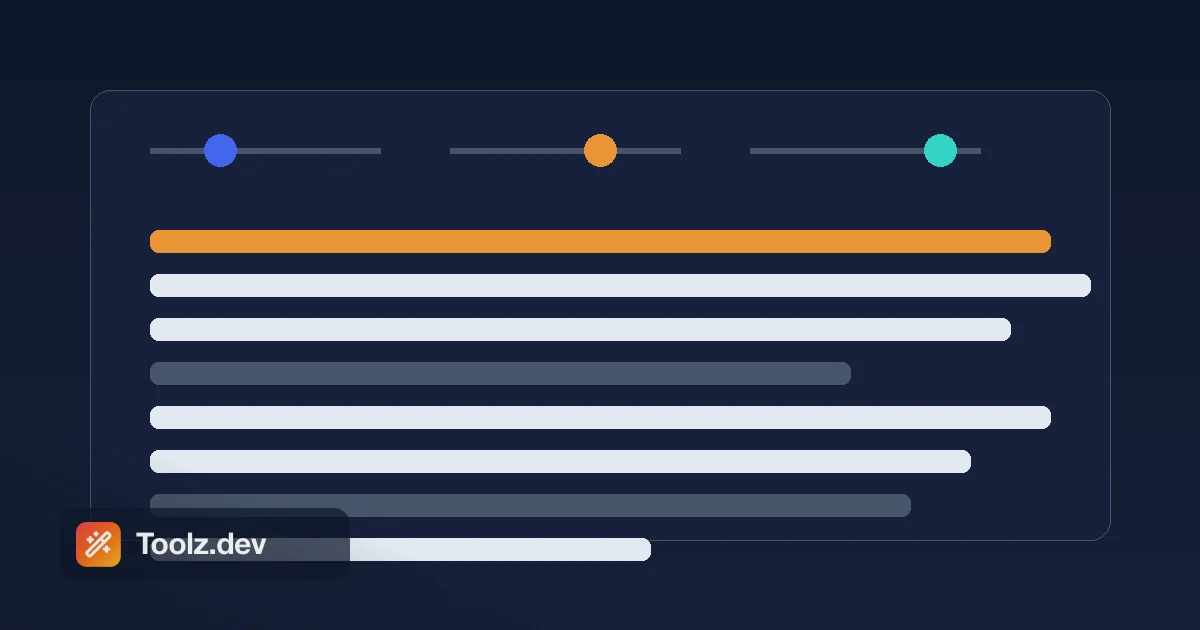
TL;Dr: los Generador de Lorem Ipsum crea párrafos de marcador de posición a partir de tres controles deslizantes (cuántos párrafos, palabras promedio por oración y oraciones promedio por párrafo) y se regenera en vivo mientras arrastras. Se abre con el familiar " Lorem ipsum olor amet, consectetuer adipiscing elit." línea y llena el resto con palabras aleatorias en latín, para que cada bloque luzca distinto. Délele tamaño a tu fáctico contenido esperado, cópielo y busque su proyecto "ipsum" antes de enviar. Cuando lleguen las palabras reales, verifique su longitud con el Contador de palabras.
¿Qué es Lorem Ipsum y por qué latín?
Lorem Ipsum es un pseudolatín codificado que se utiliza como texto de relleno para que los diseñadores puedan evaluar un diseño antes de que exista el contenido real. La famosa apertura - "Lorem ipsum dolor sit amet, consectetur adipiscing elit..." - es un fragmento destrozado de Cicero's Definibus Bonorum y malorum, un tratado de ética escrito en el 45 a. Las palabras fueron cortadas y barridas hace siglos en algo que se lee como latín pero no significa nada.
La pregunta "por qué latín" tiene una buena respuesta: La falta de sentido es la característica. Si llenas una maqueta con inglés real, todos los que la revisan leen las palabras, forman opiniones sobre la copia y dejan de mirar el diseño. Llénelo con Lorem Ipsum y no habrá nada que leer, así que la atención va a donde la desea: espaciado, tipo, jerarquía y ritmo. La convención es lo suficientemente antigua (una impresora codificada de esta manera en el siglo XV, Letraset la difundió en la década de 1960, el software de publicación de escritorio la incorporó durante la década de 1980) como para que todas las partes interesadas la reconozcan a la vista como " marcador de posición, no final."
Una nota honesta sobre el generador Toolz.dev específicamente: no reproduce el pasaje clásico exacto palabra por palabra. Se abre con la línea reconocible y luego extrae palabras al azar de un conjunto de términos con sabor latino, de modo que el cuerpo esté fresco cada vez en lugar del fragmento idéntico de Cicerón. Para fines de marcador de posición, eso es una ventaja: puede generar varios bloques que se ven diferentes.
¿Cómo funcionan los controles de longitud?
Esta es la parte que hace que la herramienta sea realmente útil, y es donde la interfaz difiere de lo que la gente espera. No hay "dame 50 palabras" o "dame 3 oraciones" y botón. En su lugar, moldea el texto con tres controles deslizantes y la herramienta los multiplica en párrafos:
Recuento de párrafos (1 a 20) - cuántos párrafos obtienes.
promedio Palabras por frase (5 a 25) - la longitud de la oración objetivo. El generador agrega una pequeña variación aleatoria alrededor de este número para que las oraciones no sean robóticamente idénticas, que es lo que hace que el resultado se lea como un ritmo de prosa natural en lugar de una tabla.
promedio Oraciones por párrafo (2 a 15) - cuánto dura cada párrafo, nuevamente con alguna variación.
Así que su recuento aproximado de palabras es Párrafos × oraciones por párrafo × palabras por oración. Un párrafo a 10 palabras × 8 oraciones es aproximadamente 80 palabras. Diez párrafos en esos escenarios es un cuerpo de artículo de formato largo. El texto regenera el instante en que mueves cualquier control deslizante, de modo que marcas la forma a ojo en lugar de aritmética. Cuando se vea bien, golpea número.
Un pequeño toque realista que vale la pena conocer: aproximadamente una oración en siete termina con un signo de interrogación en lugar de un punto. Es aleatorio, y hace que una pared de marcador de posición se lea un poco más como una escritura real.
Cómo generar texto de marcador de posición en Toolz.dev, paso a paso
Paso 1: Abra el generador
ir a la Generador de Lorem Ipsum. Ya se genera un párrafo en la carga, por lo que tiene algo con lo que trabajar de inmediato.
Paso 2: Establecer el recuento de párrafos
travestí Recuento de párrafos a cuántos bloques necesitas tu diseño. Una descripción de una sola tarjeta es 1; una maqueta de blog-cuerpo puede ser de 5 a 8.
Paso 3: Forma la longitud de la oración y el párrafo
aprovechamiento promedio Palabras por frase y promedio Oraciones por párrafo Para igualar el densidad de su contenido real. Copia de interfaz de usuario concisa: oraciones cortas, párrafos cortos. Un artículo de lectura larga: ambos más largos. Este es el paso que la gente salta, y es el que hace que el marcador de posición sea honesto.
Paso 4: Copiar
chocar número. El texto aterriza en su portapapeles como texto sin formato y se coloca en Figma, una plantilla HTML, un campo CMS o su editor sin cambios.
Paso 5: Restablecer cuando necesite una pizarra limpia
los resetear Botón Devuelve los controles deslizantes a sus valores predeterminados (1 párrafo, 10 palabras por oración, 8 oraciones por párrafo). Mover cualquier control deslizante también reorganiza las palabras, por lo que si solo desea un bloque aleatorio diferente en la misma configuración, empuje un control deslizante y vuelva a empujarlo.
Por qué el texto del marcador de posición supera a los cuadros dejándose vacíos
Un área de texto vacía se encuentra sobre su diseño tan mal como lo hace demasiado texto. No se puede juzgar la altura de línea por nada, no puede ver cómo se envuelve una tarjeta y no puede saber si una cuadrícula de dos columnas se equilibra. El texto de marcador de posición le permite evaluar las cosas que realmente importan en la etapa de diseño:
Espaciado y ritmo: ¿se siente bien el espacio vertical entre elementos cuando hay texto en ellos? Tipografía: la fuente del cuerpo es legible en este tamaño y medida. Jerarquía: los encabezados, subtítulos y el cuerpo se separan claramente. Envoltura y desbordamiento: qué sucede con una tarjeta de altura fija cuando el texto es demasiado largo. Capacidad de respuesta: cómo el mismo bloque refluye desde el escritorio a una columna estrecha del teléfono.
Y crucialmente, usando revuelto El texto en lugar de borrar la copia evita que los revisores aprueben palabras específicas que luego no sobreviven al contacto con el contenido real.
Dimensionarlo bien: una hoja de trucos
El error más común es llenar un espacio con tres párrafos cuando lo real es una oración: el diseño se ve genial y luego se rompe en el momento en que llega la copia real. Apunta el generador al contenido que realmente esperas:
| Ranura de diseño | objetivo aproximado | Punto de partida del control deslizante |
|---|---|---|
| Botón / Etiqueta | 2-4 palabras | Palabras por frase 5, agarra las palabras de apertura |
| Subtítulo de héroe | 10–20 palabras | 1 párrafo, 12 palabras/oración, 2 oraciones |
| tarjeta de características | 15-30 palabras | 1 párrafo, 10 palabras/oración, 2–3 oraciones |
| Extracto del blog / Meta | 20-40 palabras | 1 párrafo, 12 palabras/oración, 3 oraciones |
| Acerca de la sección | 100-200 palabras | 2-3 párrafos, 12 palabras/oración, 6 oraciones |
| Cuerpo del artículo | 500-1000 palabras | 6–10 párrafos, 14 palabras/oración, 8 oraciones |
Luego haga lo contrario a propósito: una vez que la longitud "esperada" se ve bien, suba a un encabezado del doble de su longitud y encoja un párrafo a dos palabras para ver dónde se agrieta el diseño. Las pruebas de estrés con marcador de posición son gratuitas; las pruebas de estrés con el contenido real de lanzamiento de un cliente no lo son.
Donde el texto del marcador de posición se gana
Maquetas de diseño. Figma, Sketch y Adobe XD Comp. Todos necesitan un volumen de texto creíble en cada ranura para que valga la pena revisar.
Prototipos HTML/CSS. Cuando esté construyendo una estructura antes del contenido, suelte los párrafos generados directamente en su marcado:
<article>
  <h2>Section Heading Goes Here</h2>
  <p>Lorem ipsum odor amet, consectetuer adipiscing elit. Sed do
  eiusmod tempor incididunt ut labore et dolore magna aliqua...</p>
</article>
Pruebas receptivas. Genera un bloque corto y un bloque largo y confirma que el mismo componente sobrevive a ambos.
Plantillas de correo electrónico y presentación. Los diseños de boletines y los maestros de diapositivas necesitan marcador de posición en cada cuadro de texto para demostrar el diseño antes de escribir la copia de la campaña.
Si sus encabezados reales pueden afectar el diseño, y normalmente lo hacen, considere escribir encabezados de apariencia realista a mano mientras abandona el cuerpo como Lorem Ipsum. "Cómo empezar" enfatiza un diseño diferente a " Lorem Ipsum Dolor," y si está generando babosas de URL a partir de esos encabezados más adelante, el generador de babosas los convierte en caminos limpios.
La única regla: nunca la envíes
El texto de marcador de posición se ha enviado a sitios web de producción, periódicos impresos, formularios gubernamentales y, una vez, memorablemente, a la televisión de transmisión. Sucede porque "yo reemplazaré eso más tarde" es una mentira que todos nos digamos a nosotros mismos. Dos hábitos lo previenen:
Reemplazar gradualmente: intercambie Lorem Ipsum por copia real sección por sección a medida que llega el contenido, de modo que el diseño siempre parezca completo pero el texto falso se reduzca constantemente. Y ejecute una búsqueda final, antes de implementar, grep o Ctrl-F su proyecto para "lorem" y "ipsum." Se necesitan cinco segundos y es la diferencia entre un martes normal y un correo electrónico con la línea de asunto " ¿Qué idioma es este."
Preguntas frecuentes
¿La herramienta comienza con "lorem ipsum dolor sit amet"?
Cerrar, pero no exactamente. Se abre con " Lorem ipsum olor amet, consectetuer adipiscing elit." - una variante común reconocible de la línea clásica - y luego llena el resto del texto con palabras aleatorias de estilo latino. El abridor está ahí, por lo que cualquiera que mire su maqueta la lee instantáneamente como marcador de posición; el cuerpo aleatorio significa que cada bloque que generas se ve distinto.
¿Cómo controlo la longitud si no hay una opción de conteo de palabras?
Das forma a la longitud con tres controles deslizantes: recuento de párrafos, promedio de palabras por oración y promedio de oraciones por párrafo. Multiplíquelos para obtener un recuento aproximado de palabras; por ejemplo, 3 párrafos × 8 oraciones × 10 palabras son aproximadamente 240 palabras. El texto se regenera en vivo a medida que arrastras, por lo que lo dimensionas a simple vista.
¿Por qué usar Lorem Ipsum en lugar de un verdadero marcador de posición en inglés?
Porque el inglés real atrae a los críticos a leer las palabras y juzgar la copia, lo que distrae la atención del diseño. El latín revuelto es intencionalmente ilegible, por lo que la atención se queda en el diseño, la tipografía y la jerarquía, exactamente lo que estás tratando de evaluar en la etapa de maqueta.
¿Qué significa "Lorem Ipsum"?
Nada traducible. Es un fragmento revuelto y deliberadamente destrozado del latín Cicerón ' del 45 a. C., con palabras cortadas y reordenadas para que se lea como latín pero no tenga un significado real. Ese sentido no tiene sentido: no hay nada que leer, por lo que los críticos miran el diseño en lugar de las palabras.
¿Cómo inserto lorem ipsum en word o Figma?
En Microsoft Word, escriba =lorem() en una línea en blanco y presione Enter - =lorem(3,5) da tres párrafos de cinco oraciones. Figma no tiene un generador incorporado, así que use un complemento o pegue texto de esta herramienta. Copiar desde el generador funciona igual en todas partes: el texto aterriza como texto sin formato y cae en cualquier editor, campo CMS o herramienta de diseño sin cambios.
¿Lorem Ipsum tiene derechos de autor?
prohibido . La fuente es un texto de Cicero de hace 2000 años de antigüedad, firmemente en el dominio público, y el formulario de marcador de posición codificado se ha utilizado libremente durante más de 500 años. Puede colocarlo en cualquier proyecto sin preocupaciones de licencia.
¿Dejar Lorem Ipsum puede dañar mi SEO?
Sí. Si se publica e indexa, los motores de búsqueda ven contenido sin sentido donde debería estar su copia real y relevante, lo que debilita las señales de actualidad de la página y puede parecer contenido delgado. Siempre reemplace cada bloque de marcador de posición antes de iniciar y confirme con una búsqueda de "ipsum."
¿Mover un control deslizante me da un texto nuevo o el mismo texto?
texto nuevo. Cada cambio de control deslizante reorganiza las palabras aleatorias, por lo que empujar un control deslizante (o empujarlo y moverlo hacia atrás) es una forma rápida de obtener un bloque nuevo en la misma forma. Sólo la línea de apertura permanece constante.
¿Qué debo hacer una vez que el contenido real esté listo?
Deje caer su copia final, luego verifique que se ajuste al espacio para el que diseñó. los Contador de palabras Confirma que alcanza sus objetivos de longitud, y si está comparando un borrador con una edición, el Diferencia de texto La herramienta muestra exactamente qué cambió.
envolviendo
Lorem Ipsum ha sobrevivido cinco siglos porque resuelve un problema estrecho a la perfección: llena un diseño con la forma correcta de nada, por lo que puedes juzgar el diseño en lugar de debatir las palabras. El truco es llenarlo con el cantidad correcta de nada, que coincida con el contenido real que se avecina, y luego recordar sacarlo.
Genera el tuyo con el Generador de Lorem Ipsum: Establezca el número de párrafos y la densidad de oración, copiar, pegar. Cuando el contenido real aterrice, digíllelo con el Contador de palabras, convierta sus encabezados en URL limpias con el generador de babosasy difligen sus revisiones con el Diferencia de texto herramienta. Gratis, privado y completamente en su navegador.