Una volta un cliente WP Adminify mi ha inviato due esportazioni delle sue impostazioni del plugin - & quot; prima dell'aggiornamento, tutto ha funzionato; dopo, il menu admin è rotto Nient'altro è cambiato.& quot; Due BLOB JSON, ciascuno di circa 340 righe Li ho letti fianco a fianco, due volte, e sono stato fiducioso d'accordo con lui: identico Niente è cambiato Deve essere il nostro bug.
Non era. Quando alla fine ho smesso di fidarmi dei miei occhi e ho differenziato i due file, era sulla riga 217: un tasto del ruolo del menu era passato da "administrator" a "administrator "- con uno spazio finale. Un personaggio invisibile. L'avevo letto personalmente due volte, perché gli occhi umani non lo fanno e #39; confronta le stringhe; hanno forme di corrispondenza di modelli e administrator e administrator avere la stessa forma.
Quel ticket di supporto ha cambiato permanentemente la mia regola: Se due testi sono più lunghi di una decina di righe, non li confronto leggendo. mai. Un algoritmo diff non ha scorciatoie per la corrispondenza dei modelli da ingannare - confronta ogni carattere e riporta esattamente ciò che differisce Il Strumento Diff di testo Su Toolz.dev lo fa nel tuo browser, il che significa che le configurazioni, i contratti e il codice inedito del cliente non lasciano mai la tua macchina. Ecco come funziona effettivamente la diff e come usarla bene.
tl; dr: Non confrontare mai visivamente testi più lunghi di poche righe: gli occhi mancano degli spazi finali, le cifre scambiate e le modifiche di una sola parola Incolla entrambe le versioni nel file Strumento Diff di testo: verde = aggiunto, rosso = rimosso, calcolato dalla stessa famiglia di algoritmi Myers che alimenta
git diff. maneggiare Modalità linea Per codice e configurazioni, Modalità parola per prosa e contratti. Per i dati strutturati, il JSON DIFF confronta per significato invece che per testo. Tutto funziona lato client.
Come funziona effettivamente un algoritmo diff?
L'idea centrale: trovare il Sottosequenza comune più lunga (LCS) dei due testi - la sequenza più lunga di righe (o parole, o caratteri) che appare in entrambi, nello stesso ordine Tutto nella LCS è & quot;unchanged." Whatever's sinistra nella versione A è una cancellazione; whatever's sinistra nella versione B è un'aggiunta Una riga & quot;modified" è solo una cancellazione e un'aggiunta che capita di sedersi uno accanto all'altro.
Il modo standard per calcolarlo in modo efficiente viene dal documento Eugene Myers' 1986, "Un algoritmo di differenza O(ND) e le sue variazioni". La parte elegante è ciò che dice la complessità legata: n è la dimensione dell'input, ma re è il numero di differenze. Due testi quasi identici differiscono quasi istantaneamente, non importa quanto siano lunghi, perché il lavoro dell'algoritmo' si adatta a quanto sono diversi, non solo a quanto sono grandi. Quello' ecco perché differire due configurazioni da 300 righe che differiscono di una riga sembra immediato: l'algoritmo non fa quasi nulla, che è esattamente la situazione in cui i tuoi occhi stanno facendo più lavoro e falliscono.
Questa stessa famiglia di algoritmi è il motore predefinito in git diff, GNU diff, e la maggior parte degli strumenti di confronto che tu abbia mai utilizzato. (Git offre anche patience e histogram varianti che a volte producono raggruppamenti più leggibili dall'uomo degli stessi cambiamenti: il ambientare di modifiche è lo stesso, la presentazione è diversa.)
Un'importante proprietà non ovvia: una differenza non è sempre unica. Se aggiungi una riga vuota tra due righe vuote esistenti, "quale" la riga vuota è nuova è davvero ambigua e strumenti diversi possono evidenziarne di diversi. Entrambe le risposte sono corrette.
Diff riga, parola o carattere: quale modalità quando?
La granularità che confronti a cambia a cosa serve l'output. Sbagliare è il motivo principale per cui le persone trovano l'output diff "rumoroso"
| linea | a livello di parola | livello di carattere | |
|---|---|---|---|
| paragona | linee intere come atomi | singole parole | Personaggi individuali |
| Una modifica di una sola parola mostra come | Intera riga rimossa + aggiunta di nuovo | Solo quella parola | Solo le lettere cambiate |
| Meglio per | Codice, Configurazioni, Righe CSV | Prosa, Contratti, Doc | errori di battitura, hash, stringhe codificate |
| mollezza | Modifiche a lungo paragrafo: caccia ancora all'interno della linea | Rumoroso attraverso il testo riflusso/riavvolto | Illeggibile per modifiche di grandi dimensioni |
| Utente classico | git diff |
Blackline legale / Revisione editoriale | "Queste due chiavi API sembrano identiche" |
Esempio concreto. Originale: The quick brown fox jumps over the lazy dog. modificato: The quick red fox leaps over the lazy cat.
- Modalità linea segnala l'intera frase come modificata: accurata, inutile.
- Modalità parola Esatta esattamente
brown→red,jumps→leaps,dog→cat. - Modalità Personaggio è eccessivo qui, ma è l'unica modalità che catturerebbe
admlnistratorcontroadministrator.
Regola pratica: il testo strutturato (una dichiarazione significativa per riga) vuole la modalità linea; il testo scorrevole vuole la modalità parola; la modalità carattere è una lente d'ingrandimento che estrai quando gli altri due dicono "cambiato" e non puoi vedere perché. Il mio bug dello spazio finale è il caso in modalità carattere canonico.
Quando uno strumento differenziale autonomo è migliore di git?
Il diff di Git è eccellente Per le cose che vivono nello stesso deposito. Una quantità sorprendente di lavoro di confronto non:
Ticket di supporto. Lo scenario dalla mia introduzione - due impostazioni esporta da un cliente Loro' non sono in alcun repo Incolla entrambi nel Strumento Diff di testo E la risposta appare in pochi secondi invece di due letture fallite.
Deriva di configurazione. Staging Nginx Config vs produzione Nginx Config. corrente .env vs il backup prima che le cose si rompessero. git diff Non riesco a vedere i file su due diversi server; copia-incolla lattina.
Verifica del formattatore. hai eseguito più belle (o phpcs o nere) su un file e vuoi che sia cambiato la fiducia Solo formattazione. Diff il prima e il dopo: se vedi qualcosa di diverso da spazio bianco, virgolette e punto e virgola, il formattatore ha toccato la logica e vuoi sapere ora.
Due risposte API. Staging restituisce un corpo JSON, la produzione restituisce un altro e il frontend si interrompe solo nella messa in scena. diff le risposte. (Per JSON in particolare, preferisco il JSON DIFF- confronta la struttura analizzata, quindi ordine chiave e spazi bianchi don' t creare falsi positivi Esegui entrambi i carichi utili attraverso il Formattatore JSON prima se vuoi invece un testo leggibile diff.)
documenti e contratti. Un fornitore restituisce & quot; lo stesso contratto con aggiornamenti minori.& quot; Word-mode diff è il modo in cui scopri che i termini di pagamento sono passati da Net 30 a Net 15 in un documento di 40 pagine. Redattori e avvocati lo sanno da sempre: la chiamano blackline o redline.
file di traduzione e localizzazione. confrontando due versioni di a .po file per vedere quali stringhe sono effettivamente cambiate prima di rispedirlo ai traduttori: un vero flusso di lavoro WP Adminify che consente di risparmiare il pagamento per ritradurre 400 stringhe invariate.
Il filo conduttore: nel momento in cui entrambe le versioni esistono come testo che puoi selezionare, uno strumento diff risponde a & quot; cosa è cambiato?" meccanicamente. E poiché lo strumento Toolz.dev è lato client, incollando una configurazione customer's o un contratto non firmato non lo trasmette da nessuna parte, lo stesso argomento del resto Cassetta degli attrezzi per la privacy.
Come si legge l'output del differenziale senza ingannarsi?
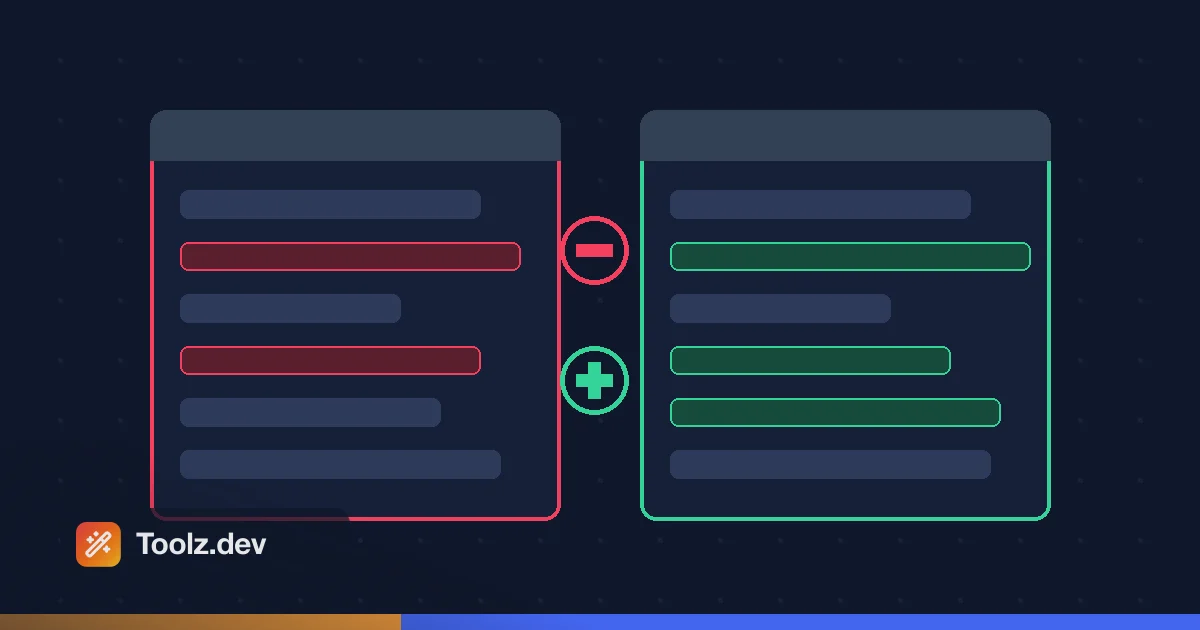
La convenzione sul colore è universale: Il rosso è il contenuto esclusivo della vecchia versione (rimosso), il verde è la nuova versione (aggiunta), il testo invariato viene visualizzato in chiaro per il contesto. Una linea modificata appare come una linea rossa seguita dalla sua sostituzione verde.
Tre abitudini che rendono la recensione del diff effettivamente affidabile:
Metti le versioni negli slot giusti. Vecchio/originale a sinistra (o primo campo), nuovo/modificato a destra Scambiali e ogni aggiunta si legge come una cancellazione - I & #39; ho guardato le persone eseguire il debug della direzione sbagliata per dieci minuti a causa di questo Se l'output guarda al contrario, probabilmente lo è.
Decidi cos'è il rumore prima di iniziare. Confronto tra codice riformattato? le modifiche dello spazio bianco sono rumore: normalizzale o ignorale Confronto delle configurazioni YAML? Lo spazio bianco è significato- l'indentazione è la struttura in YAML, quindi convalida entrambi i lati nel Condivisore di yam e tratta ogni spazio come segnale. Stesso strumento, politiche opposta e scelta sbagliata o seppellisce il vero cambiamento nel rumore o lo nasconde.
Leggi ogni pezzo, non solo il primo. Il cliente's spazio finale è stato il cambiamento n. 1 di 1. ma quando un diff mostra quattro cambiamenti e il primo spiega il tuo sintomo, la tentazione di smettere di leggere è forte - e il cambiamento n. 3 è a volte quello che ti morde la prossima settimana Il diff ha già fatto la parte difficile; don't reintrodurre l'errore di campionamento umano all'ultimo passaggio.
Cosa non può dirti un testo diverso?
Vale la pena essere onesti sui limiti:
- Blocchi spostati letti come Elimina + Aggiungi. Taglia una funzione dalla parte superiore di un file e incollala in basso: il differenziale segnala che è stato rimosso e aggiunto, non spostato. Alcuni strumenti specializzati rilevano le mosse; l'LCS non è più semplice.
- Confronta il testo, non il significato.
0.1 + 0.2e0.3diff come diverso (lo sono) ma anche agire diversamente in virgola mobile - e viceversa"key": 1contro"key": 1.0Può essere testualmente diverso ma semanticamente identico nella tua lingua. Confronto strutturato (come il JSON DIFF) Chiude parte di questa lacuna per i formati di dati. - Il contenuto binario è fuori portata. Immagini, PDF come byte, eseguibili - text diff ha bisogno di testo Estrai prima il testo, oppure usa strumenti specifici del formato.
- caso e codifica vengono confrontati letteralmente.
README≠readme, e una citazione riccia UTF-8 ≠ una citazione diritta ASCII anche se sembrano identiche nella maggior parte dei caratteri. (Un'altra trappola per gli occhi, un'altra vittoria per l'algoritmo.) Pre-normalizza con il convertitore di maiuscole e minuscole Se il caso non dovrebbe essere importante per il tuo confronto.
Domande frequenti
Posso confrontare i file o solo il testo incollato?
la Strumento Diff di testo funziona su testo incollato: apri ogni file in qualsiasi editor, copia, incolla entrambi i lati. Ciò lo rende indipendente dal formato: tutto ciò che & #39; Il testo leggibile (codice, configurazione, CSV, SQL, prosa) può essere confrontato, indipendentemente dall'estensione.
C'è un limite di dimensioni per il confronto?
Il limite pratico è la memoria del tuo dispositivo, poiché l'elaborazione è nel browser. i file con poche migliaia di righe si confrontano all'istante; le scale di costo dell'algoritmo di Myers con il numero di divergenze, quindi anche testi grandi ma simili rimangono veloci. Centinaia di migliaia di linee con differenze enormi potrebbero richiedere alcuni secondi.
Quale modalità diff dovrei usare per il codice?
Modalità linea Il codice è naturalmente a un'istruzione per riga, quindi l'output a livello di riga si mappa in modo pulito su come pensi alla modifica Passa alla modalità parola o carattere solo quando una riga viene contrassegnata come modificata e puoi' t individuare la differenza al suo interno - that' di solito è spazi bianchi, virgolette o un singolo carattere.
Quale modalità è la migliore per contratti e prosa?
Modalità Word Le modifiche alla prosa sono solitamente sostituzioni di parole e clausole inserite all'interno di paragrafi lunghi; la modalità linea contrassegnerebbe interi paragrafi e ti lascerebbe a caccia L'evidenziazione a livello di parola mostra esattamente quali parole sono cambiate - lo stesso approccio di una linea nera legale.
Il differenziale modifica o memorizza il mio testo?
no L'evidenziazione esiste solo nell'output renderizzato; il testo di input non è modificato e poiché lo strumento funziona interamente sul lato client, nessuna delle versioni viene trasmessa o archiviata da nessuna parte. Chiudi la scheda e i testi sono spariti.
Perché il differenziale evidenzia una linea che sembra identica?
Personaggi quasi sempre invisibili: spazi finali, schede vs spazi, finestre \r\n contro Unix \n finali di riga, spazi non rotti o sosia di Unicode (virgolette ricci vs dritti) Questa è proprio la classe di cambiamento che gli occhi umani non possono vedere e gli algoritmi diff catturano sempre: il mio ticket di supporto nello spazio finale era uno di questi.
Riesce a rilevare il testo spostato?
Non come mossa La differimento standard basato su LCS riporta un blocco spostato come eliminato dalla vecchia posizione e aggiunto in quella nuova Se sospetti una mossa, cerca nel & quot; added" testo nell'originale - un colpo esatto in un altro punto del file lo conferma.
In che modo JSON Diff è diverso dal testo diverso?
Il diff del testo confronta i caratteri; JSON DIFF analizza entrambi i documenti e confronta la struttura. Le chiavi riordinate, il rientro modificato e le virgole finali non producono differenze strutturali zero, quindi si vedono solo cambiamenti nei valori effettivi e nelle chiavi. Usalo quando entrambi i lati sono validi JSON; ripiegati sul testo diff quando lo sono.
Come faccio a ignorare gli spazi bianchi o il caso quando si confronta il testo?
Decidi prima se gli spazi bianchi sono rumore o segnale: nel codice riformattato è rumore, ma nell'indentazione YAML o Python è struttura Quando è rumore, normalizza entrambi i lati prima di differire - comprimi spazi ripetuti, spoglia gli spazi bianchi finali e rendi coerenti le desinenze delle linee - quindi rimangono solo cambiamenti reali Per ignorare il caso, minuscola entrambi i testi prima di confrontare, poiché il diff tratta README e readme come diversi per impostazione predefinita.
Quale algoritmo usa git diff?
Per impostazione predefinita git diff utilizza una variante dell'algoritmo di Myers, lo stesso approccio di sequenza comune più lungo di Eugene Myers' documento del 1986 condiviso dalla maggior parte degli strumenti diff. Git offre anche varianti di pazienza e istogramma in grado di raggruppare le modifiche in modo più leggibile, ma riportano lo stesso insieme di differenze: cambia solo la presentazione. Questo strumento utilizza la stessa famiglia di algoritmi Myers.