形式には実装以外の仕様はありません。 の PHP マニュアル unserialize() が参照であり、信頼できない入力を渡すのは安全ではないことが明らかです。
初めての PHP データのシリアル化は、午後にかけて、WP Adminify サポート チケットでした。 ユーザーのダッシュボード ウィジェットの設定がおかしくなり、「設定」が説明されていた「設定」が、 wp_options 線ノイズのように見える単一のシリアル化された文字列としての表: a:4:{s:8:"_builtin";b:1;...。 読むことができず、何が問題なのか一目でわかりません。また、完全な PHP 環境をスピンアップしたくありませんでした。 print_r 一列。 その午後は、ブラウザー タブが 1 つ離れたデコーダーを用意することを気にする理由です。
WordPress、WooCommerce、Laravel、または従来の PHP コードベースで働いている場合、必要に応じてシリアル化されたデータに対応しています。 オプション テーブル、セッション ファイル、キャッシュ ストア、および POST メタに表示されます。 そして、何かが壊れたとき、それをすばやく読むことができるようになると、5 分の修正と午後の違いが生じます。
このガイドでは、シリアル化された形式が実際にどのようなものであるか、それをデコードする方法について説明します。 シリアル化されていない Toolz.dev 上のツール、そして重要なことに、英語以外のデータの出力を信頼する前に知っておく必要がある 1 つの本当の制限。
tl;dr: php
serialize()型の文字列に値をパックします。a:2:{s:4:"name";s:5:"Alice";...}各ピースがそのタイプと長さを運ぶ場所。 ザ・ シリアル化ツールを使用しない それをブラウザで解析し、ツリーとして表示します。print_r、var_dump、またはJSON - PHPサーバーなし、データアップロードなし。 big caveat I verified myself: it counts string length in UTF-16 code units, not bytes, so can serialized data containing accents, emoji, or CJK characters can mis-parse or fail.ASCIIデータの場合は、信頼できるです。 dataを読み取ります; それはオブジェクト参照を解決したり、所定の位置に編集させることはありません。
本当に PHP のシリアル化とは何ですか?
シリアル化により、PHP 値 (配列、オブジェクト、文字列、整数など) が、データベース列またはファイルに保存し、後で再構築できるフラット文字列に変換されます unserialize()。 2 つの関数が作業を行います。 serialize() 値を文字列に変換し、 unserialize() それを元に戻します。
コードを知っていれば、フォーマットが読み取れるのは、すべての値がそのタイプとサイズを発表することです。 語彙全体は次のとおりです。
s:5:"hello"              // string:  s:length:"value"
i:42                     // integer: i:value
d:3.14                   // double:  d:value
b:1                      // boolean true (b:0 is false)
N;                       // null
a:2:{...}                // array:   a:count:{key;value;...}
O:8:"ClassName":1:{...}  // object:  O:namelen:"Class":propcount:{...}
したがって、シリアル化された連想配列は次のようになります。
a:3:{s:4:"name";s:10:"John Smith";s:5:"email";s:16:"[email protected]";s:4:"role";s:5:"admin";}
これはまさにこの PHP アレイで、ぎっしり詰まっています。
array(
    'name'  => 'John Smith',
    'email' => '[email protected]',
    'role'  => 'admin'
)
マシンはコンパクトで、サポート コールで午後 2 時に人間には読めません。 それがツールが解決する問題全体です。
Toolz.dev unserialize ツールはどのようにしてデコードしますか?
文字列を貼り付けると、その形式がブラウザーで JavaScript で直接解析され、結果がレンダリングされます。 これを書いているときに、これらのそれぞれをツール独自のパーサーに対してテストしたので、以下の動作は、マニュアルが想定していることではなく、実際に動作するものです。
シーケンシャル 整数キー配列は、実際のリストとして戻ってきます。 a:2:{i:0;s:5:"apple";i:1;s:6:"banana";} にデコードします ["apple", "banana"]。 連想配列は、キー付きオブジェクトとして戻ってきます。 ネストされた構造体は、配列内の配列が正しくネストされ、オブジェクト内の配列内にあります。
オブジェクトはクラス名を保持します。 O:4:"User":2:{s:4:"name";s:3:"Bob";...} でデコード __class__ のマーカー "User" プラスそのプロパティ, だから、タイプとデータの両方を見ることができます. php がクラス名の周りに null バイトの接頭辞でシリアル化するプライベート プロパティと保護プロパティの厄介なケースさえ処理します - ツールはそれらをストリップし、クリーン プロパティ名を表示します。
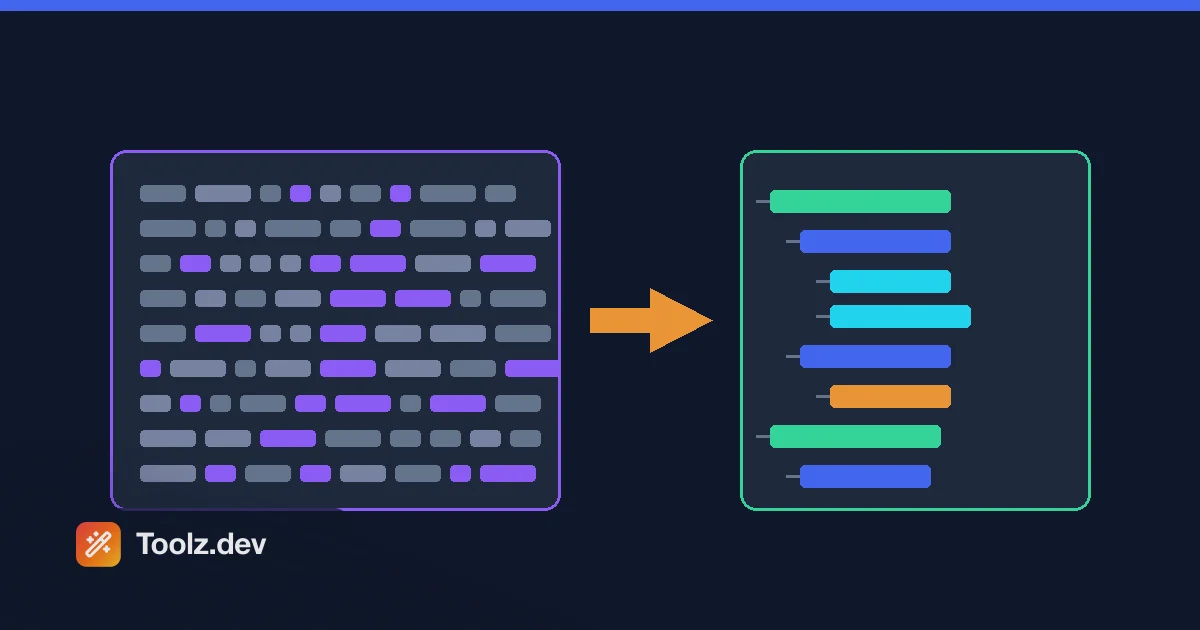
切り替える 8 つの出力形式があります。ツリー ビュー、 print_r、 var_dump、 var_export、Krumo、FirePHP、DBUG、およびプレーン JSON。 探索するためのツリー ビューと、別のものにコピーするための JSON に住んでいますが、筋肉の記憶が期待している場合 var_dump 出力、すぐそこにあります。
知っておくべき制限の 1 つ: マルチバイト文字列
これは、本番データでデコーダを信頼する前に誰かに教えてもらいたい部分です。前もって説明します。
Php のシリアライズされたフォーマットは、文字列長を測定します バイト。 ツールはそれを測定します JavaScript 文字列の、UTF-16 コード ユニットを数えます。 プレーン ASCII の場合、それらは同じ数なので、英語のデータは完全にデコードされます。 文字列がマルチバイト UTF-8 文字を含む瞬間、それらは発散します。
UTF-8 では、「カフェ」という言葉を取り上げてください。「エ」は 2 バイトであるため、PHP は次のようにシリアル化します。 s:5:"café" ー長さ5、バイトを数えます ツールはそれを読みます 5 そして5つか コード単位 文字列から、つまり café" ー 終値の引用を飲み込み その場所を失います 私はまさにこれを実行しました スタンドアロンです s:5:"café"; 間違った値にデコードし、配列内で次のようになります a:2:{s:1:"a";s:5:"café";s:1:"b";i:1;} それは完全に失敗します Unknown type ':' at position 25。
実用的なポイント: 純粋な ASCII である WordPress オプションをデバッグしている場合 - ほとんどのプラグイン設定、slugs、ブール フラグ - 大丈夫です。シリアル化されたデータにアクセント付きの名前、絵文字、または CJK テキストが含まれている場合、デコードが破損またはエラーになる可能性があり、それはツールの実際のバグであり、データではありません。 (レコードの場合、私たちの最後の修正は、ではなく UTF-8 バイト長で解析することです) .length; それは私のリストにあります。) ヒットすると、サーバー上の WP-CLI のシリアル化対応コマンドが信頼できるフォールバックになります。
関連する、より穏やかな注意事項があります。 var_dump 同じコード単位数を使用してレポート文字列の長さを出力するので、 var_dump("café") みな string(4) 本当の PHP が言うところ string(5)、そして、絵文字は、PHP のバイト数と一致しない長さを示しています。 これらの数字を「JavaScript の長さ」ではなく、「PHP バイト長」ではなく、
PHP 以外のデータをシリアル化する必要があるのはなぜですか?
理由はたくさんありますが、「楽しみのため」というものはほとんどありません。
デバッグは大きなものです。 バグ レポートでは、ユーザーの設定が間違っています。設定はデータベース内のシリアル化された BLOB であり、デコードするまで問題は表示されません。 私が使用するワークフローは次のとおりです。 SELECT option_value FROM wp_options WHERE option_name = 'widget_text';、結果をコピーして、 シリアル化ツールを使用しない、そしてツリーを読みます。 使い捨ての PHP スクリプトを作成するのとは 10 秒です。
マイグレーションは卑劣なものです シリアル化された文字列は独自の長さを埋め込むため、データベースダンプ上の素朴なfind-and-replace - たとえば、古いドメインを新しいドメインに交換する - は、長さプレフィックスを更新せずに文字列の内容を変更し、影響を受けるすべての値を非シリアル化します 最初にデコードすると、ドメインを運ぶ値が正確に表示されるため、単純な検索と置換が何を壊すかがわかります。 (置換自体の正しいツールはWP-CLI& #39; sです) search-replace、シリアル化を理解しています。)
次に、キャッシュとセッションの検査 (PHP アプリの Redis、Memcached、およびファイル キャッシュにはシリアル化された値が保持されることがよくあります) とセキュリティ レビューがあり、安全かどうかを判断する前に実際に何が保存されているかを確認する必要があります。
ブラウザでのシリアル化されたデータの復号は安全ですか?
PHP で行うよりも安全で、その理由を理解する価値があります。
Php's ネイティブ unserialize() 長いセキュリティ履歴があります。 細工された文字列を提供すると、任意のオブジェクトをインスタンス化して、その魔法の方法 (__wakeup、 __destruct) が適切な条件下でオブジェクト インジェクション攻撃になり、最悪の場合、リモート コード実行になります。 だからこそ、常勤のアドバイスは絶対に電話しないことです unserialize() 信頼できない入力であり、渡す ['allowed_classes' => false] あなたがしなければならないとき。
ブラウザ ツールは、そうではないので、そのすべてを回避します。 走る PHP.文字列形式を読み取り、構造を表示します - PHPオブジェクトは作成されず、マジックメソッドが起動せず、悪用するインタプリタもありません データもデバイスに残ります; ローカルで解析され、サーバーに送信されることはありません。 、シリアル化されたブロブがセッションであるか、アップロードしない方がよい他のものである場合に重要です 検査中 信頼できないシリアル化されたデータ、ブラウザは本当により安全な場所です。
ネイティブ PHP unserialize() |
Toolz.dev ブラウザ ツール | |
|---|---|---|
| オブジェクトをインスタンス化する | はい(注射のリスク) | いいえ - 構造のみを読み取ります |
| サーバー上で実行 | はいって | いいえ - ブラウザでローカルです |
| 信頼できない入力で安全 | だけ allowed_classes |
はい、実行しません |
| マルチバイト長を処理します | 正しく (バイト) | 信頼できない (コード単位) |
| オブジェクト参照を解決します | はいって | いいえ - ショー [Reference] |
| 目的 | ライブ値を再構築する | 調べて読む |
この表は、トレードオフの正直な要約でもあります。ブラウザ ツールは安全なリーダーであり、言語機能のドロップインの代わりにはなりません。
一般的な現実世界のソースは何ですか?
あなたがここにいるなら、それはおそらくその 1 つです。 WordPress は、シリアル化に大きく依存しています wp_options ー widget_text、 sidebars_widgets、 theme_mods_*、アクティブなプラグイン リスト、cron スケジュール。 WooCommerce は製品のバリエーション、属性、およびカスタム フィールドをシリアル化されたポスト メタとして保存します。そのため、価格設定が間違っている製品は、シリアル化された値にまでさかのぼることがよくあります。 Laravel は、ファイル キャッシュとセッション ストレージにシリアル化を使用します。 Magento の構成システムはそれでいっぱいです。 どこでも同じフォーマット、同じデコード方法。
ツールができないいくつかのこと
2 つの正直な境界。 references を解決しません - PHP は以前の値 () へのポインタをシリアル化できますr: や R:)、ツールはそれらをリテラルとして表示します [Reference] それらに従うのではなくマーカー。 and it is a reader, not an editor: there is no " change this value and re-serialize" mode.シリアル化されたデータを変更するには、デコードし、PHPまたはJSONで変更を行い、PHP側で再シリアル化する必要があります。 raw文字列を手作業で編集する場合は、長さのプレフィックスも修正する必要があり、上記のセクションに従って、文字ではなくバイトをカウントすることを忘れないでください。
よくある質問
PHP のシリアル化は何に使用されますか?
配列やオブジェクトなどの複雑な値を、データベースの列、ファイル、またはキャッシュに格納できる単一の文字列に変換し、後で再構築します。 WordPress、WooCommerce、Laravel、および Magento はすべて、設定、セッション データ、およびキャッシュ値に大きく使用されます。
PHP サーバーを使用せずに PHP データをシリアル化できませんか?
はい。 ザ・ シリアル化ツールを使用しない ブラウザで JavaScript でシリアル化された PHP を解析します。 PHP インストールもサーバーもアカウントもありません。
シリアル化されたデータをブラウザでデコードしても安全ですか?
はい、それは php' のものより安全です unserialize() ツールは文字列構造のみを読み取るため、信頼できない入力で。 PHP オブジェクトをインスタンス化することはないため、ネイティブを作成する魔法の方法攻撃 unserialize() 危険はまったく起こりません。
シリアル化された文字列がデコードに失敗するのはなぜですか?
通常の原因は、切り詰められたコピー (末尾の中括弧または最初の文字を見逃していた)、検索と置換の後に破損した長さの接頭辞、または実際には PHP がシリアル化されていないデータです。 もう 1 つ人を捕まえる: 文字列にアクセント付き文字、絵文字、または CJK テキストが含まれている場合、PHP はストリング長をバイト単位でカウントし、ツールは UTF-16 単位をカウントするため、ツールのコード単位長のカウントは誤解析する可能性があります。
WordPress wp_options 値をデコードできますか?
はい - それは最も一般的な用途の1 つです。 をクエリします option_valueを貼り付けて構造を読みます。 このオプションがマルチバイト テキストを保持している場合は、代わりにサーバーで WP-CLI が必要になる場合があることに注意してください。
このツールでシリアル化されたデータを編集できますか?
いや、読者だ。 値を変更するには、それをデコードし、PHP または JSON で編集して、PHP 側で再シリアル化します。 生の文字列を手作業で編集するということは、エラーが発生しやすいバイト長の接頭辞を自分で修正することを意味します。
php のシリアル化と JSON の違いは何ですか?
シリアル化では、オブジェクト クラス名やプライベート プロパティなど、PHP 固有の型が保持されます。 JSON は言語に依存しない、文字列、数値、ブール値、ヌル、配列、およびオブジェクトのみを認識します。 新しいコードは一般的に JSON を好むため json_decode() オブジェクトはインスタンス化されないため、インジェクションのリスクを回避し、JSON はどこでも読み取れます。 復号化された構造体を JSON フォーマッタ そのようにして作業すること。
ツールは配列だけでなく、シリアル化されたオブジェクトを処理しますか?
はい。 オブジェクトは、プロパティと共にクラス名を保持してデコードし、プライベートまたはプロテクト プロパティ (PHP がヌルバイト プレフィックスでシリアル化) は、出力で読み取り可能な名前になるようにクリーンアップされます。
結論
WordPress、WooCommerce、または Laravel に触れると、シリアル化された PHP データは避けられません。また、オンデマンドで読み取ることができるようになると、イライラするバグのカテゴリーがすばやくバグに変わります。 ザ・ シリアル化ツールを使用しない ブラウザタブでそれを、安全に、PHPサーバーなしで - あなたが知っている限り、その1 つの実際のエッジ: マルチバイト文字列は、長さカウントをトリップすることができ、ASCIIデータは、それが輝く場所に貼り付け、読み取り、修正し、データがアクセントや絵文字でいっぱいになったとき、代わりにWP-CLIのために到達します。
関連ツール: