Поведение, которое здесь кусается, указано, а не случайно: Спецификация ЯМЛ 1.2 определяет, как скаляр без кавычек разрешается для типа.
Я однажды отправил развертывание, которое закрепило службу к версии 1.1 Когда файл конфигурации прямо сказал 1.10, йо- Не опечатка. Неплохая находка и замена. Файл yaml, который я читал четыре раза, говорил:
image_tag: 1.10
и парсер передал мой скрипт развертывания номер 1.1, йо- потому что 1.10 isn't строка версии для YAML - it's a плавать буквально, а поплавки не сохраняют нули. Десять становится одной очками. Файл был 100% действительным YAML. Линтер был счастлив. КИ был зеленым. Вышел не тот контейнер.
Это то, что вам никто не говорит о проверке YAML: "Ведь" не то же самое, что "Правильно. Проверка синтаксиса, которая отвечает только да/нет, отвечает на простой вопрос. Сложный вопрос - тот, который фактически нарушает развертывание - таков Во что превратился мой yaml? Поскольку YAML не является форматом конфигурации, это механизм вывода типа, носящего одежду конфигурационного формата, и он принимает решения относительно ваших данных, которые вы никогда не просили его сделать.
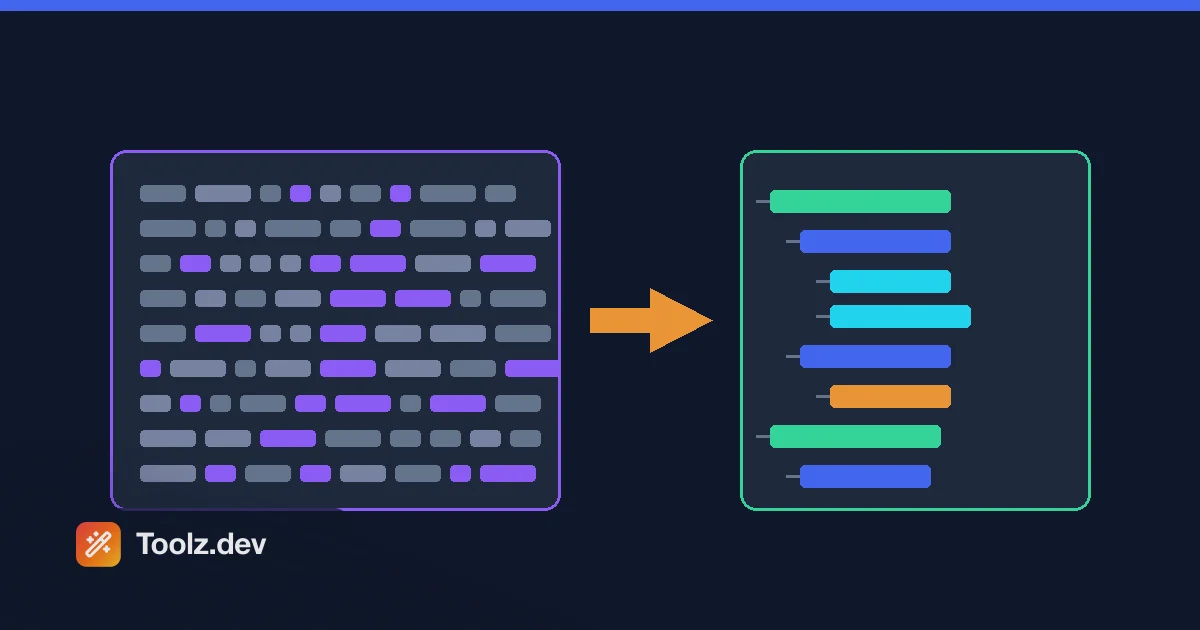
выше Валидатор YAML на Toolz.dev отвечает на оба вопроса. он говорит вам, анализируется ли документ, а затем показывает вам анализируемый результат как JSON - фактическую структуру данных, которую получит ваш инструмент. та вторая половина - это то, что спасло бы меня. "image_tag": 1.1 В панели вывода невозможно неправильно прочитать.
TL;DR: Вставьте свой yaml в Валидатор YAML и прочитайте json вывод, а не только зеленая галочка. Вот где проявляется принуждение типа:
1.10→1.1,0123→123, незапятые значения, которые молча становятся числами, логическими значениями или null. Он работает на js-yaml (yaml 1.2) полностью в вашем браузере, поэтому секреты Kubernetes и учетные данные базы данных никогда не покидают ваш компьютер. Процитируйте все, что должно оставаться струной. Если вам нужно сравнить результат с конфигом JSON, Форматтер JSON а JSON диф забрать оттуда.
Что на самом деле проверяет валидатор YAML?
Две разные вещи, и их стоит разделить, потому что они по-разному терпят неудачу.
Проверка синтаксиса Спрашивает: можно ли вообще этот текст разбирать? Вкладки, где пробелы принадлежат, отсутствие места после двоеточия, блок-скаляр, тело которого не отступится, незакрытая цитата. это громкий неудачи. Ваш синтаксический анализатор кидает, ваш конвейер становится красным, вы чините его за две минуты. Раздражает, не опасно.
семантическая инспекция Спрашивает: что он разобрал в? Здесь живут тихие сбои. Документ действителен. Трубопровод зеленый. Значение просто не то, что вы думали, что написали. Никто не узнает, пока производство не ведет себя странно, и к тому времени никто не смотрит на файл конфигурации, потому что файл конфигурации "Fine"
Большинство онлайн-шашек YAML делают только первый. валидатор Toolz.dev делает первый, а затем передает вам второй - проанализированный документ, отображаемый как JSON, прямо рядом с вашим вводом. Привыкните читать эту панель. It's разница между & quot;файл хорошо сформирован & quot; и & quot;файл означает то, что я имел в виду.& quot;
Какие ошибки YAML на самом деле ломаются?
Вот что действительно проявляется, что по-настоящему стоит по тому, сколько в моей жизни стоило мне каждый. Каждое поведение ниже, которое я проверил JS-YAML 4, который является синтаксическим анализатором, который выполняет валидатор Toolz.dev и который реализует Ямл 1.2 специальный
1. Вкладки. всегда вкладки.
YAML запрещает символы табуляции для отступов. Не " discourges" - запрещает. Спецификация явная, и сообщение об ошибке освежающе прямое:
tab characters must not be used in indentation
Причина, по которой это продолжается, заключается в том, что вкладки невидимы. Ваш редактор показывает вам хорошо выровненный файл; синтаксический анализатор видит символ управления. Исправьте это в источнике: установите для редактора пробелы и включите "Образец пробелов" для файлов YAML. Два пробела на уровень, что является соглашением, на котором устанавливались все основные экосистемы YAML.
2. Дублирующиеся ключи
database:
  host: localhost
  port: 5432
  host: production-db.example.com
host появляется дважды. ЧТО ПРОИСХОДИТ? Это полностью зависит от вашего парсера, который является ужасающим предложением для написания формата конфигурации.
JS-YAML бросовые, duplicated mapping key. Хорошо. Это & #39;s поведение, которое вы хотите, и it& #39;s то, что вам покажет валидатор Toolz.dev. Но PyYAML - на котором сидит Ansible и множество инструментов Python - молча берет продленный ценить и двигаться дальше. Нет предупреждения. Ваш хост базы данных теперь все, что было сказано в последнем дубликате, который в длинном файле, который вы плохо объединили, может быть в трехсот строках от того места, где вы смотрите.
Это единственный лучший аргумент в пользу запуска конфигов через строгих валидаторов, даже если ваш производственный инструмент принимает их. валидатор, который 's более строгий Чем ваша среда выполнения — это валидатор, который находит ошибки.
3. Введите принуждение - то, которое меня достало
YAML выводит типы из нецитируемых скаляров. Это очень уверенно и часто ошибается в ваших намерениях:
| Вы написали | Вы имели в виду | YAML 1.2 дает вам |
|---|---|---|
version: 1.10 |
струна "1.10" | поплавок 1.1 |
pin: 0123 |
струна "0123" | целое число 123 |
port: "8080" |
число 8080 | струна "8080" |
enabled: true |
булевский | булевский true - правильно |
value: |
Пустая струна, может быть? | null |
value: ~ |
Тильда | null |
что 0123 ряд - это татуировка I'd на людях.Почтовые индексы, PIN-коды, номера счетов, нулевые идентификаторы - каждый ведущий ноль, который вы написали не просто так, съедается. цитируйте их.
Правило, которое ни разу не подводило меня: Если значение является идентификатором, версией, кодом или чем-то, что вы никогда не сделаете арифметикой, поместите это в кавычки. Порты и подсчеты реплик могут оставаться на виду. все, что просто взгляды Числовой должен быть "quoted", йо-
4. Булевы, зависящие от версии (также известные как проблема Норвегии)
Этот действительно печально известен, и детали имеют большее значение, чем мем.
на Ямл 1.1, логический тип принимает yes, no, on, off, y, nи их капитализации, помимо true а false, йо- поэтому country: NO - Норвегия и #39;s Код страны ISO - анализируется как логический ложный, йо- на Ямл 1.2, что это убрало, только true а false являются булевами; NO это просто струна "NO", йо-
что означает тот же файл означает разные вещи в разных инструментах,
country: NO
feature_flag: on
- js-yaml 4 (YAML 1.2 и что использует этот валидатор):
{"country": "NO", "feature_flag": "on"}- струны. - Pyyaml (YAML 1.1):
{"country": False, "feature_flag": True}- логические значения.
Те же байты. разные данные. Если ваш CI запускает линтер Python через конфигурацию, которую потребляет служба узла, у вас есть два парсера, которые не согласны с вашим файлом, и ни один из них не ошибся.
Это также происхождение действий GitHub' самая странная причуда: on: Ключ, с которого начинается каждый рабочий процесс, булевский Для парсера YAML 1.1, поэтому скрипты, которые lint workflow-файлы в python находят ключ с именем True вместо on, йо- цитируя ("on":) является законным и исправляет это.
Защитный ход такой же, как и раньше: процитировать это, йо- country: "NO" средство "NO" В каждом парсере, который когда-либо существовал.
5. Блокировать скалярное отступ
description: |
This is not indented
выше | (буквально) и > (Сложенные) Скаляры блоков нуждаются в их содержимом, отступом от ключа. Не отступающее содержимое немедленно завершает блок, и синтаксический анализатор начинает читать вашу прозу как ключи YAML, что создает сообщения об ошибках, которые, по-видимому, не имеют ничего общего с фактической ошибкой.
Стоит знать индикаторы жевательного материала, пока вы находитесь здесь: | сохраняет одну конечную строку, |- раздевает его, |+ держит всех их. Если вы встраиваете закрытый ключ или скрипт и что-то ниже по течению, жалуетесь на прейсолют, это ваша ручка.
6. Не цитируемые специальные символы
Пространство двоеточия внутри не кавычки завершает значение и запускает новый ключ. Это кусает сообщения об ошибках и URL-адреса:
message: Error: file not found   # parse error
regex: [a-z]+                    # parsed as a LIST, not a string
time: "22:22"                    # quote it — in YAML 1.1 this was base-60!
[, {, #, &, *, !, |, >, %, @ В начале скаляра все что-то значат. Сначала цитируйте, а потом задавайте вопросы.
Как проверить yaml на Toolz.dev?
- откройте Валидатор YAML, йо- Нет аккаунта, нет загрузки.
- Вставьте свой документ. Файл значений Helm, докер-компоновка, рабочий процесс - что угодно и #39;s плохое поведение.
- Хит проверить. Ошибки возвращаются с точным линия и колонна Из парсера, плюс строка синтаксического анализатора (собственной причины)
bad indentation of a mapping entry,duplicated mapping key, и так далее). - Прочтите панель вывода JSON. Это шаг, который люди пропускают, и это тот, который имеет значение. Сканируйте его на предмет ценностей, которые вам небезразличны. есть
image_tagСтрока или число? этот порт цитируется? стало ли пустое значениеnull? - Исправить, перепроверить. Ошибки могут маскировать друг друга - синтаксический анализатор останавливается на первом из них, от которого он может 't восстановиться, поэтому исправление одного иногда выявляет еще два. Это 's нормально, а не знак, что ситуация ухудшается.
Одно известное ограничение, прямо сказано
Валидатор в настоящее время анализирует один документ YAML. Если вы вставляете файл с несколькими документами - несколько манифестов Kubernetes разделены --- в одном файле, который является чрезвычайно распространенным шаблоном, - он сообщит
expected a single document in the stream, but found more
Это синтаксический анализатор, а не файл сломанного. Обходной путь сегодня состоит в том, чтобы проверять каждый документ отдельно: вставьте все, что выше ---, проверьте его, затем вставьте следующий фрагмент. Поддержка нескольких документов в моем списке именно потому, что пользователи Kubernetes сразу же попадают в него, и я бы предпочел рассказать вам о пробеле, чем позволить вам обнаружить его в середине инцидента.
YAML против JSON: Когда мне следует использовать какой?
YAML 1.2 - это строгий надмножество JSON: каждый действительный документ JSON действителен в YAML, поэтому валидатор вообще может передавать вам выходные данные JSON. Но форматы имеют противоположные личности.
| бахвалиться | JSON | |
|---|---|---|
| структура, определенная | Отступ (значение пробелов) | Брекеты и скобки (явно) |
| замечания | да (#)) |
нет |
| Тип вывода | Агрессивный - выводит числа, логические значения, нулевые, даты | Нет - кавычки означают строку всегда |
| многодокумент | да (--- разделитель) |
нет |
| повторное использование | якоря (&), псевдонимы (*), объединить клавиши (<<)) |
ни один |
| Режим сбоя | молчаливое толкование | громкая ошибка синтаксического анализа |
| лучше всего | Файлы, которые люди пишут и редактируют | Обмен машинами данных |
Торговля реальна и идет в обе стороны. читаемость и комментарии YAML's - это именно то, почему конфигурация инфраструктуры живет там - никто не хочет поддерживать 400-строчный манифест Kubernetes в JSON без комментариев. JSON' полное отсутствие умения - это именно то, почему API используют его: "1.10" есть "1.10" И обсуждать нечего.
Мое правило: YAML для файлов редактирования, JSON для машин данных проходят. А когда файл YAML генерируется программой, а не вводится человеком, этот 's конфигурация, созданная машиной, не получает ни преимуществ YAML's, ни всех рисков.
Если вы двигаетесь между ними, то JSON в YAML конвертер обрабатывает преобразование, а Форматтер JSON приведем в порядок другую сторону.
Что такое якоря и псевдонимы, и я должен их использовать?
YAML позволяет вам определить блок один раз и повторно использовать его. якорь с &, ссылка с *, сливаем на карту с <<,
defaults: &defaults
  adapter: postgres
  host: localhost
  port: 5432

development:
  <<: *defaults
  database: myapp_dev

test:
  <<: *defaults
  database: myapp_test
оба development а test выходите с адаптером, хостом и портом, объединенными в. It's действительно полезно, и js-yaml обрабатывает его - я проверил, что слияние разрешилось правильно.
Хотя два предупреждения.
в первую очередь Ключи слияния — это расширение YAML 1.1, не часть ядра ЯМЛ 1.2 Поддержка широко распространена, но не универсальна, и - та, что ловит людей - GitHub Actions их не поддерживает. Анкоры в файле рабочего процесса не будут делать то, что вы хотите. Проверьте своего потребителя, прежде чем опираться на это.
Во-вторых, якоря затрудняют чтение файла для следующего человека, а в конфигурации следующего человека обычно вы в 2 часа ночи. Я использую их для действительно повторяющихся блоков и никогда для сообразительности.
Пока мы находимся на опасной стороне YAML: формат поддерживает пользовательские теги, которые некоторые парсеры используют для создания произвольных объектов. yaml.load() было известно, что это было эксплуатируемым образом, поэтому yaml.safe_load() существует и почему вы должны использовать его - всегда - на любом YAML, который пришел извне вашей команды. js-yaml's load() В V4 по умолчанию безопасно (он не строит произвольные типы), о чем здесь меньше беспокоиться.
Как перестать писать сломанный yaml в первую очередь?
Профилактика превосходит Validation, и большая часть ее — конфигурация редактора:
- Два пробела, никогда не вкладки. Установите его для каждого типа файла, чтобы вы не могли забыть.
- Включите рендеринг пробелов в связи с
.yml/.yaml, йо- Если вы видите вкладку, вы не будете зафиксировать вкладку. - Установите сервер языка YAML. Проверка схем в реальном времени для схем Kubernetes, GitHub и Docker-Compose Schemah улавливает весь класс ошибок, которые не могут: допустимый YAML с ключом с ошибкой.
- Цитата по умолчанию, если сомневаетесь. Стоимость ненужного котировки равна нулю. Стоимость пропавшего — это развертывание.
- Подтвердите, прежде чем нажимать, не после того, как CI выйдет из строя. Вставка во вкладку браузера занимает восемь секунд, а неисправный конвейер занимает восемь минут.
- Для Kubernetes нанесите проверки. Структура валидации синтаксиса ловит;
kubectl apply --dry-run=clientловит схему. Они находят разные ошибки, и вы хотите, чтобы оба они хотели.
И привычка, которая на самом деле изменила меня: когда развертывание, управляемое конфигурацией, делает что-то необъяснимое, Посмотрите на разбитый вывод, прежде чем смотреть на что-либо еще. не файл. Разработанный вывод. Файл — это история о том, что вы имели в виду. Вывод разбора - это то, что произошло на самом деле.
это тот же инстинкт, который управляет всем в моем Рабочий процесс отладки API - читайте данные, а не код - и это применимо как к конфигурациям, так и к ответам. Если вы хотите получить более широкий обзор того, что еще живет в этом наборе инструментов, Руководство по инструментам кодирования покрывает его.
Часто задаваемые вопросы
Почему мой yaml проверяет, но все еще ломает мое развертывание?
Потому что синтаксическая валидность и семантическая корректность — это разные вещи. YAML выводит типы из некассовых значений, поэтому 1.10 становится плавающим 1.1, 0123 становится целым числом 123, а пустое значение становится null - все в совершенно допустимом документе. Прочтите проанализированный вывод JSON, а не только результат "прошел/не прошел", и укажите любое значение, которое должно оставаться строкой.
Почему yaml превращает номер моей версии в другой номер?
1.10 является литералом для YAML с плавающим поплавком, а плавающие не сохраняют конечные нули, поэтому он решает 1.1, йо- Любая версия, номер сборки или идентификатор с нулевой заполняемой версией должны быть указаны: version: "1.10", йо- Это одна из самых дорогих ошибок YAML, потому что файл выглядит правильно, и синпарсинг успешный.
Какая проблема Норвегии в YAML?
В YAML 1.1 значения no, NO, off, и yes Булевы, так что код страны Норвегии NO анализирует как false. ЯМЛ 1.2 это исправил - только true а false являются логическими - но многие инструменты (в частности, PyYAML, который использует Ansible) все еще реализуют 1.1. Таким образом, один и тот же файл может означать разные вещи в разных инструментах. Цитирование значения (country: "NO") делает его везде строкой.
Могу ли я использовать вкладки для отступов в YAML?
Нет. спецификация YAML запрещает символы табуляции в отступе, а парсеры отклоняют их с ошибкой, как символы & quot;tab не должны использоваться в indentation.& quot; Настройте свой редактор для вставки пробелов для файлов YAML - два пробела на уровень является стандартным соглашением.
Поддерживает ли валидатор Toolz.dev yaml валидаторы с несколькими документами?
Не в настоящее время. Он проверяет один документ, поэтому файл, содержащий несколько манифестов Kubernetes, разделенных --- Возвращает "Ожидается в потоке один документ.» Проверка каждого документа отдельно в качестве обходного пути. Планируется поддержка нескольких документов.
Разрешены ли дубликаты ключей в yaml?
В спецификации говорится, что ключи сопоставления должны быть уникальными, но на практике парсеры не согласны. js-yaml - который использует этот валидатор - бросает & quot;дублированный ключ сопоставления & quot; ошибка. PyYAML молча сохраняет последнее значение, что означает, что дубликат может незаметно переопределить вашу конфигурацию без какого-либо предупреждения. Запуск конфигурации через строгий валидатор фиксирует это до того, как ваша среда выполнения молча примет его.
Безопасно ли проверять секреты и учетные данные Kubernetes онлайн?
С валидатором Toolz.dev, да - синтаксический анализ происходит полностью в вашем браузере через JavaScript и ничего не передается на любой сервер Вы можете подтвердить это сами, открыв свой браузер's Сетевая вкладка, пока вы проверяете и наблюдаете, что не делается запрос Примените эту же проверку к любому онлайн-инструменту, прежде чем вставлять конфигурацию инфраструктуры в него.
В чем разница между .yml и .yaml?
Ничего функционального - оба расширения распознаются каждым анализатором YAML. Официальная рекомендация .yaml; .yml Выживает с эпохи трехсимвольных расширений и остается чрезвычайно распространенным (по умолчанию для него действия Docker Compose и GitHub). Выберите один и оставайтесь последовательным в рамках проекта.
Как преобразовать yaml в json?
Вставить YAML в валидатор и прочитать область вывода - он отображает проанализированный документ как JSON, что является преобразованием. Поскольку YAML 1.2 является надмножеством JSON, каждый действительный документ YAML имеет эквивалент JSON, но вывод типа применяется первым, поэтому не цитируется 1.10 прибывает как 1.1 а 0123 как 123, йо- Сначала процитируйте эти значения, если они вам нужны, как строки.
Как проверить yaml по схеме?
Этот валидатор проверяет синтаксис и показывает проанализированный результат, но он не проверяет схему - это отдельная проверка, подтверждающая, что ваши ключи и типы значений соответствуют тому, что ожидает такой инструмент, как Kubernetes или GitHub Actions. Для проверки схемы используйте сервер языка YAML в своем редакторе или CLI с поддержкой схемы, например kubeconform Для Кубернетеса или kubectl apply --dry-run=client, йо- Синтаксис и валидация схемы улавливают разные ошибки, поэтому запустите оба.