The worst support night of my WP Adminify years started with a white screen. We'd pushed version 3.1.2 to the update server around 11 p.m., and by 2:40 a.m. I had 14 tickets saying the same thing: update installed, site dead. I rolled back, re-tested the zip on my machine - worked perfectly. Same version. Same file. Supposedly.
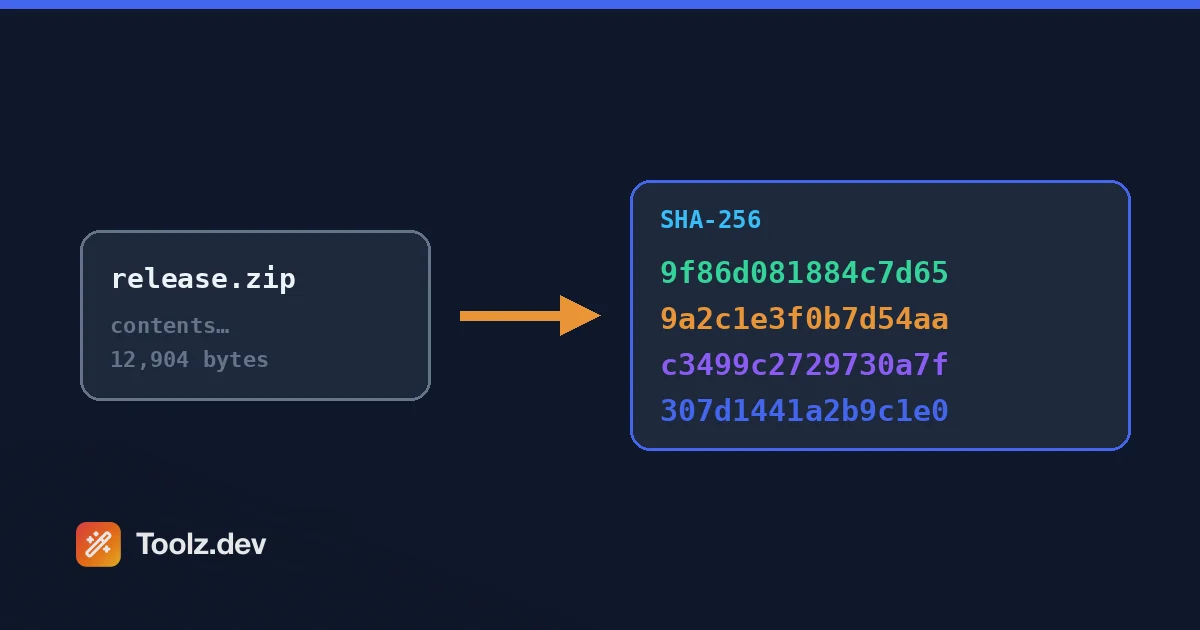
It took me embarrassingly long to do the obvious thing: hash both files. The SHA-256 of the zip on my laptop and the SHA-256 of the zip sitting on the update server didn't match. Not even close - completely different digests. The upload had been truncated somewhere mid-transfer, the server happily served a broken archive, and PHP choked on the incomplete files inside. One checksum comparison would have caught it before a single user updated. After that night, every WP Adminify release got its SHA-256 printed in the deploy log, and the upload script refused to publish unless the remote hash matched the local one. Zero corrupted releases since.
That's what hashing is, at its most practical: a fingerprint for data. Feed in a file or a string, get back a short fixed-length digest. If even one byte changes - a flipped bit, a truncated download, a sneaky edit - the digest changes completely. I now reach for a hash generator online multiple times a week: verifying downloads, debugging webhook signatures, comparing config files across environments, sanity-checking that two "identical" files actually are.
Which is why I built one into toolz.dev. I wanted a hash tool that computes everything in the browser, shows me MD5, SHA-1, SHA-256, and SHA-512 side by side, and never uploads a byte of my input anywhere. This guide covers how to use it, what's actually happening under the hood, and the one mistake with hashing that I made myself early on - and that I still see in codebases today.
TL;DR: Use the toolz.dev Hash Generator to compute MD5, SHA-1, SHA-256, and SHA-512 digests from text or files, instantly and entirely in your browser via the Web Crypto API. Default to SHA-256 for anything that matters; treat MD5 and SHA-1 as legacy checksums only. And never - ever - use any of these for passwords. That's bcrypt or Argon2 territory.
Key Features
Multiple Algorithms at Once
Paste your input once and get MD5, SHA-1, SHA-256, and SHA-512 computed simultaneously. This sounds like a small convenience until you're debugging someone else's system and you don't know which algorithm they used. I've lost real time to this - a payment gateway's docs said "SHA hash" with no number attached, and I sat there generating digests one algorithm at a time in a terminal until one matched. With all four digests on screen at once, you just eyeball which one lines up with the value you're trying to match. It also makes the differences visceral: you can see the 32-character MD5 next to the 128-character SHA-512 and immediately understand what "digest size" means in practice.
Text and File Hashing
Type or paste a string, or drop in a file - the tool handles both. Text hashing covers the everyday cases: API signature debugging, cache keys, quick comparisons. File hashing is where the real verification work happens. Checking a downloaded installer against a published checksum, confirming a plugin zip survived the trip to your update server, verifying a database dump copied intact between machines. The file never gets uploaded anywhere; it's read locally by your browser and hashed in place. I've hashed multi-hundred-megabyte SQL dumps this way. It's faster than you'd expect, because the heavy lifting happens in native browser code, not JavaScript loops.
Instant Client-Side Computation via Web Crypto
The SHA family digests are computed with the browser's built-in Web Crypto API - crypto.subtle.digest- which runs native, optimized cryptographic code shipped with your browser. No server round-trip, no queue, no spinner. You get results as fast as your machine can read the input. This matters for two reasons. First, speed: hashing happens in milliseconds, even for large inputs. Second, trust: because computation is local, the tool works the same whether you're online at a coffee shop or hashing a sensitive config on a locked-down network. The page loads once; after that, the network is irrelevant.
Uppercase and Lowercase Output
Trivial feature, saves real headaches. Hex digests are case-insensitive in meaning - 2CF24DBA and 2cf24dba encode identical bytes - but string comparisons don't know that. Plenty of systems store or publish digests in uppercase (some Windows tooling, certain vendor checksum pages), while most Unix tools emit lowercase. If you're pasting a digest into a comparison script or a config file that does exact string matching, case suddenly matters a lot. The toggle means you copy the format you need instead of running the output through a case converter or, worse, "fixing" it by hand and fat-fingering a character.
Compare and Verify Mode
Hashing is only half the job - usually you're checking a digest against an expected value. Paste the published checksum next to your computed one and the tool tells you instantly whether they match, no squinting at 64 hex characters required. I used to verify checksums by visually comparing the first and last few characters. That's exactly how you miss a mismatch in the middle. Human eyes are terrible at comparing long random strings; that's a job for an equality check. The verify mode also normalizes case and trims whitespace before comparing, which kills the most common false alarm: a stray trailing space from a sloppy copy-paste.
100% Private - Nothing Leaves Your Browser
This is the feature I refuse to compromise on across all of toolz.dev. Your input - text or file - is hashed locally and never transmitted. There's no server-side processing, no logging, no "we anonymize your data" fine print, because there's no data to log. This matters more for hashing than people realize: the things developers hash are often exactly the things they shouldn't paste into a random website - API secrets while debugging HMAC signatures, license keys, dumps with customer emails. With a client-side tool, that risk evaporates. Open your browser's network tab while hashing if you want proof. I wrote more about why this architecture matters in my data privacy and online tools post.
How to Use the Hash Generator
Step 1: Open the Tool and Choose Your Input
Head to the Hash Generator. You'll see an input area that accepts either typed/pasted text or a file. For text, just start typing - hashing happens as you go. For files, drag one onto the drop zone or use the file picker. Nothing uploads; the file is read locally by your browser. There's no size ceiling beyond what your machine's memory is comfortable with.
Step 2: Read the Digests
All algorithms compute at once: MD5, SHA-1, SHA-256, SHA-512. Each digest appears in its own labeled row, in hex. Note the lengths - 32 characters for MD5, 40 for SHA-1, 64 for SHA-256, 128 for SHA-512. If you're matching against a known checksum and you're not sure which algorithm produced it, the length alone usually tells you before you compare a single character.
Step 3: Toggle Case If Needed
If the system you're matching against uses uppercase hex, flip the case toggle. The digest bytes are identical either way - this is purely about string formatting. Copy the digest with the copy button rather than selecting by hand; a 128-character SHA-512 digest is very easy to partially select, and a truncated digest will silently fail every comparison you make with it.
Step 4: Verify Against an Expected Hash
Got a published checksum from a vendor's download page or a colleague's deploy log? Paste it into the compare field. The tool checks it against your computed digest and gives you a clear match or mismatch. Match means the data is byte-for-byte identical to what produced the original hash. Mismatch means something changed - corrupted transfer, wrong file version, or tampering. Don't rationalize a mismatch. Re-download and check again.
MD5 vs SHA-256: What's Actually Happening Under the Hood
A cryptographic hash function takes input of any length and produces a fixed-length output called a digest. Four properties make it useful. It's deterministic- the same input always yields the same digest. It exhibits the avalanche effect- change one bit of input and roughly half the output bits flip. It's one-way- there's no feasible path from digest back to input. And it's collision resistant- finding two different inputs that produce the same digest should be computationally infeasible.
The avalanche effect is worth seeing with real values. The MD5 of hello is 5d41402abc4b2a76b9719d911017c592. Capitalize one letter - Hello- and you get 8b1a9953c4611296a827abf8c47804d7. Not one character shifted; a completely unrelated digest. Same story with SHA-256: hello hashes to 2cf24dba5fb0a30e26e83b2ac5b9e29e1b161e5c1fa7425e73043362938b9824, while Hello produces a digest that shares essentially nothing with it. That's the point. A digest tells you whether data changed, never how much.
Now, the algorithms. MD5 was defined in RFC 1321 back in 1992 and produces a 128-bit digest. It's fast, it's everywhere - and it's cryptographically broken. Practical collision attacks have existed since 2004; researchers can manufacture two different inputs with the same MD5 digest on commodity hardware. That kills it for anything adversarial: signatures, certificates, integrity checks where an attacker might substitute content. It remains fine for non-adversarial checksums - detecting accidental corruption in a file transfer, deduplicating your own data - because random corruption doesn't get to choose its bytes. SHA-1 (160-bit) lasted longer, but the SHAttered attack demonstrated a practical collision in 2017, complete with two different PDFs sharing one SHA-1 digest. Git still uses SHA-1 internally for historical reasons, but no new system should.
The SHA-2 family- SHA-256 and SHA-512 among them - is specified in FIPS 180-4 and remains unbroken. SHA-256 gives you a 256-bit digest and is the sane default for almost everything. SHA-512 offers a larger digest and is often faster on 64-bit CPUs, since it works in 64-bit words.
Three distinctions people constantly blur. Hashing is one-way - no key, no way back. Encryption is two-way - anyone with the key can decrypt. Encoding, like Base64, is zero-way protection - it's just a representation change anyone can reverse, no key needed. If you've ever seen Base64 treated as "encryption," my Base64 Converter will cheerfully demonstrate why that's a problem, and my Base64 encoding guide covers the distinction in depth.
When you need to prove a message came from someone holding a shared secret - webhook signatures, API request signing - a plain hash isn't enough, because anyone can hash. That's HMAC, defined in RFC 2104: a keyed construction that wraps a hash function so only key-holders can produce valid digests. HMAC-SHA256 is the workhorse behind most webhook signature schemes you'll ever debug.
And the big one: never hash passwords with fast hashes. Fast is the enemy here - an attacker with a leaked database can test billions of MD5 or SHA-256 guesses per second on GPUs. Passwords need deliberately slow, salted algorithms: bcrypt or Argon2. Laravel's Hash::make() uses bcrypt by default for exactly this reason, and WordPress spent years on the phpass portable hashing scheme before modernizing - imperfect, but the instinct (slow it down, salt it) was right. I learned this the hard way: an early freelance project of mine, years before WP Adminify, stored passwords as raw md5($password). Classic rookie move. Nobody got breached, but I still cringe.
Here's what the toolz.dev tool does under the hood, and what you'd write yourself:
const data = new TextEncoder().encode('hello');
const buf = await crypto.subtle.digest('SHA-256', data);
const hex = [...new Uint8Array(buf)]
  .map(b => b.toString(16).padStart(2, '0'))
  .join('');
// "2cf24dba5fb0a30e26e83b2ac5b9e29e..."
Or in PHP, one line: hash('sha256', 'hello'). Same input, same digest, any language, any machine. That determinism is the entire foundation.
Common Use Cases
Verifying File Downloads and Release Artifacts
The use case that burned me in the intro. Vendors publish checksums next to downloads for a reason: transfers corrupt, mirrors go stale, and occasionally someone malicious swaps a file. Download the file, hash it with the Hash Generator, compare against the published value. Match: the file is byte-identical to what the publisher hashed. Mismatch: stop and re-download. For my own releases, the rule since that 2:40 a.m. incident is mechanical - the deploy script computes SHA-256 locally, uploads, fetches the remote file's hash, and refuses to flip the "current version" pointer unless they're equal. It's maybe eight lines of bash. It has caught two truncated uploads since, both of which would have been ticket floods. Cheapest insurance in my entire pipeline.
Cache Busting and ETags
Browsers cache aggressively, and "please hard-refresh" is not a deployment strategy. The robust fix is content-hashed filenames: hash the file's contents and embed a chunk of the digest in the name, so app.css becomes app.2cf24dba.css. Contents change, hash changes, filename changes, cache misses, users get the new file. Contents identical, filename identical, cache hit. Laravel Mix and Vite do this automatically; in WP Adminify I did a homegrown version, hashing asset contents to build the ver query string WordPress appends to enqueued scripts - after one too many "the settings panel looks broken" tickets that were really stale CSS. Same principle powers ETags: the server hashes the response, the browser sends the hash back, and a match means a tiny 304 instead of a full payload.
Deduplicating Content
Want to know if two files are identical without comparing them byte by byte - or when they live on different machines? Hash both. Equal digests mean equal content (with SHA-256, collision odds are so absurdly small they're not worth a thought). This scales beautifully: hash a thousand uploads, sort the digests, and duplicates cluster instantly. I've used this to dedupe a WordPress media library that had accumulated years of logo.png, logo-1.png, and logo-final-2.png- hashing revealed which were actually the same image wearing different names. It's also how backup tools decide what to skip and how object stores detect that an "upload" is content they already hold.
Git-Style Content Addressing
Git doesn't store files by name - it stores them by hash. Every blob, tree, and commit is addressed by the digest of its content (SHA-1 historically, with a SHA-256 transition in progress). That's why commit IDs look like hashes: they are hashes, and they cover the snapshot, the parents, the author, the timestamp. Change anything anywhere in history and every downstream hash changes, which is what makes tampering with Git history loudly obvious rather than quietly possible. Understanding this transformed how I debug Git problems. When two machines disagree about a commit, comparing hashes tells you instantly whether you're looking at the same object or divergent history. Content addressing is one of those ideas that sounds academic until it saves your repo.
Comparing Configs Without Exposing Secrets
Staging works, production doesn't, and you suspect the .env files differ - but you don't want production secrets pasted into a Slack thread or a screen-share. Hash each file on its own machine and compare digests instead. Different hashes confirm the files differ without revealing a single value. You can go finer: hash individual lines or specific keys to pinpoint which entry diverges. I've settled disagreements with hosting support this way - "your copy of the config doesn't match mine, here's my SHA-256, check yours" ends the debate in one message. The digest proves difference or sameness while the secrets stay exactly where they belong.
Webhook Signature Debugging
Stripe, GitHub, Paddle - they all sign webhook payloads, usually with HMAC-SHA256, so you can verify the request actually came from them. And when your verification fails, debugging is miserable, because the failure is silent: signatures just don't match, and the middleware says no. Nine times out of ten the culprit is the payload - your framework re-serialized the JSON, changing whitespace or key order, so you're hashing different bytes than were signed. Hashing the raw request body at various points in your pipeline shows you exactly where the bytes mutate. If the digest changes between your route handler and your verification function, you've found the layer that's touching the body. While you're in that neighborhood, my JWT Decoder is handy for the adjacent job of inspecting signed tokens.
MD5 vs SHA-1 vs SHA-256 vs SHA-512: Which Should You Use?
| Algorithm | Digest Size | Relative Speed | Security Status | Appropriate Uses |
|---|---|---|---|---|
| MD5 | 128-bit (32 hex chars) | Fastest | Broken - practical collisions since 2004 | Non-adversarial checksums, legacy system compatibility, cache keys |
| SHA-1 | 160-bit (40 hex chars) | Fast | Broken - SHAttered collision, 2017 | Legacy Git internals, interop with old systems; nothing new |
| SHA-256 | 256-bit (64 hex chars) | Fast | Secure | Default for integrity checks, signatures, content addressing, HMAC |
| SHA-512 | 512-bit (128 hex chars) | Fast (often faster on 64-bit CPUs) | Secure | Same as SHA-256; when you want extra margin or 64-bit throughput |
My stance, and I'll be blunt about it: default to SHA-256 and stop thinking about it. It's secure, universally supported, fast enough that you will never notice the cost, and it's what your tools already speak - TLS certificates, Docker image digests, package lockfiles, webhook signatures. The mental energy spent choosing an algorithm is almost always better spent elsewhere.
The nuance worth keeping: MD5 isn't radioactive, it's scoped. Detecting accidental corruption on your own files? Fine. Anything where a human adversary could benefit from forging a collision? Absolutely not. SHA-1 sits in the same bucket with fewer excuses - the only good reason to touch it is compatibility with a system you don't control. SHA-512 is a fine choice and occasionally faster on modern 64-bit hardware, but 128-character digests are unwieldy in logs and URLs, and the security margin of SHA-256 is already beyond any realistic attack. And none of the four - repeat, none - belongs anywhere near a password field.
Frequently Asked Questions
Is MD5 still safe to use?
For security, no. Practical collision attacks have existed since 2004, meaning attackers can craft two different files with the same MD5 digest. Never use it for signatures, certificates, password storage, or any integrity check where tampering is a concern. It remains acceptable for non-adversarial jobs - detecting accidental corruption, deduplicating your own files, generating cache keys - where nobody is trying to fool you. If in doubt, use SHA-256; it costs you nothing.
Can you reverse a hash to get the original data?
No. Hash functions are one-way by design - the digest contains far less information than most inputs, so reversal is mathematically impossible in general. What attackers actually do is guess: hash billions of candidate inputs and compare digests, using rainbow tables or GPU brute force. That works frighteningly well against short, common inputs like passwords hashed with fast algorithms, which is exactly why passwords need slow, salted hashing rather than plain MD5 or SHA-256.
What is the difference between hashing and encryption?
Encryption is two-way: data is scrambled with a key, and anyone holding the right key can decrypt it back to the original. Hashing is one-way: you can compute a digest from data, but you cannot recover the data from the digest - there is no key and no decryption. Use encryption when you need the data back, hashing when you only need to verify or compare. Base64, for the record, is neither - it is encoding, reversible by anyone.
Which hash should I use for passwords?
None of the ones in this tool. MD5, SHA-1, SHA-256, and SHA-512 are all fast, and fast is fatal for passwords - GPUs can test billions of guesses per second against a leaked database. Use a deliberately slow, salted algorithm: bcrypt or Argon2. Laravel's Hash::make() uses bcrypt by default, and most modern frameworks provide an equivalent. If you are writing raw hash calls for password storage, stop and reach for your framework's password hashing API instead.
Is it safe to hash sensitive data in an online tool?
Only if the tool is genuinely client-side. The toolz.dev Hash Generator computes every digest in your browser using the Web Crypto API - your input is never transmitted, logged, or stored on any server. You can confirm this yourself by watching the network tab while you hash. With server-side tools you are trusting an unknown operator with whatever you paste, which is a bad trade for API secrets, keys, or customer data. When in doubt, check before you paste.
Why do "hello" and "Hello" produce completely different hashes?
That is the avalanche effect, and it is deliberate. A good hash function flips roughly half its output bits when even one input bit changes, so similar inputs produce wildly different digests. Capitalizing one letter changes a single byte, but the digest becomes unrecognizable. This is a feature: it means digests reveal nothing about how similar two inputs are, and it makes any change - however tiny - impossible to miss when you compare hashes.
What is the difference between SHA-256 and SHA-512?
Both belong to the SHA-2 family specified in FIPS 180-4, and both are considered secure. SHA-256 produces a 256-bit digest using 32-bit operations; SHA-512 produces a 512-bit digest using 64-bit operations, which often makes it faster on modern 64-bit processors. In practice, SHA-256 is the ecosystem default and its digests are half the length, which keeps logs and URLs manageable. Choose SHA-512 for extra security margin or 64-bit throughput; otherwise SHA-256 is plenty.
When do I need HMAC instead of a plain hash?
Use HMAC whenever you need to prove who produced the hash, not just what was hashed. A plain digest can be computed by anyone, so it verifies integrity but not origin. HMAC, defined in RFC 2104, mixes a secret key into the hashing process - only parties holding the key can produce or verify valid signatures. This is the mechanism behind webhook signatures from Stripe, GitHub, and similar services, almost always as HMAC-SHA256 over the raw request body.
Ship With Fingerprints, Not Faith
Hashing is the rare tool that's both deep computer science and dead-simple daily practice. You don't need to understand Merkle–Damgård constructions to benefit from it - you need the habit. Hash your release artifacts. Verify your downloads. Compare digests instead of eyeballing files. Every one of those habits is thirty seconds of work, and each has, at some point, saved me a night I would otherwise have spent apologizing in a support queue.
The toolz.dev Hash Generator is built to make that habit frictionless: four algorithms at once, text and files, verify mode, all computed in your browser with nothing uploaded. If you're working through the neighboring concepts, the Base64 Converter covers encoding (and why it isn't security), the Password Generator handles the secrets you should never be hashing with SHA-256, and the JWT Decoder rounds out the signed-token side of the story.
For the bigger picture, my coding tools guide walks through the rest of the developer toolbox, and data privacy in online tools explains why client-side processing is the hill I've chosen to die on. Hash first, deploy second. Your 2:40 a.m. self will thank you.