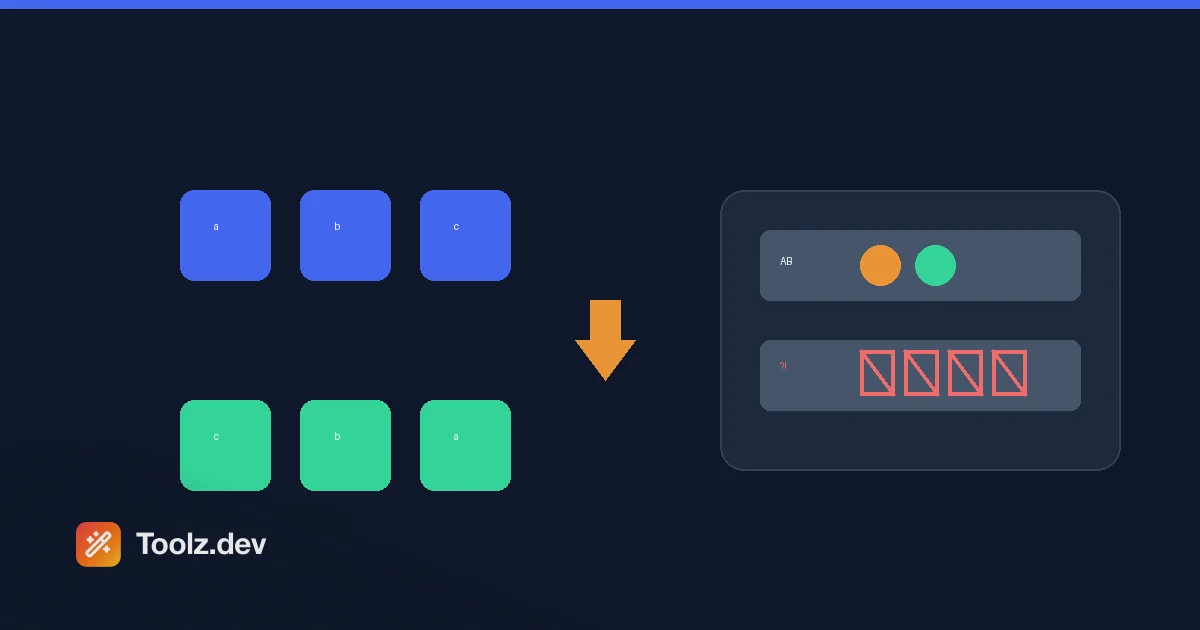
I shipped the string reverse tool on toolz.dev thinking it was the most boring thing I'd build all month. It's split('').reverse().join(''). What could possibly go wrong. Then I pasted the sample text I'd written - which, because I was feeling cute, ended with "Unicode: 你好世界 🌍🚀" - and the output came back with the two emoji turned into garbled boxes. 🌍🚀 became \ude80🜍\ud83c. The Chinese characters reversed perfectly. The emoji shattered.
That five-minute surprise is actually the most useful thing I can teach you about reversing strings, so this whole guide is built around it. Reversing text sounds trivial, and for plain ASCII it is. The moment you introduce emoji, flags, or certain accented characters, "reverse the string" stops having one obvious answer - and most tools, including this one, quietly pick the answer that breaks them.
The String Reverse tool does one thing: it reverses characters, instantly, as you type. No modes to configure, no signup, and your text never leaves the browser. Let me show you exactly what it does, where it breaks, and how to reverse text correctly in real code when breakage isn't acceptable.
TL;DR: Paste text into String Reverse and it flips the character order live -
HellobecomesolleH. It's a single character-reversal mode (no separate word or line modes), it auto-updates as you type, and you can copy or download the result. It's perfect for palindrome checks, quick puzzles, and verifying interview answers. Heads up: like a plain JavaScriptsplit(''), it breaks emoji and flags because it splits by code unit. Plain text and CJK reverse fine. Pair it with the Case Converter or Word Counter for quick text work.
What does the string reverse tool actually do?
Exactly one operation: it reverses the order of characters. The last character becomes the first, and so on.
Input: Hello World
Output: dlroW olleH
Under the hood the logic is genuinely one line - the same line you'd write in a JavaScript interview:
text.split('').reverse().join('')
There's no "reverse words" or "reverse lines" mode hiding in a menu. Earlier drafts of this page described character, word, sentence, and line modes; that was aspirational, not real. The tool reverses characters, full stop. It does update automatically as you type, so you see the reversed result live, and it gives you the character and line count of both input and output. You can paste text, upload a text file, load from a URL, then copy the result or download it as a .txt.
If you specifically want word-order reversal (Hello World → World Hello), you'd do that in code with split(' ').reverse().join(' ')- I'll show the snippets below.
Why do emojis break when you reverse them?
This is the part worth understanding, because it explains a whole class of bugs.
JavaScript strings are sequences of UTF-16 code units, not "characters" in the human sense. Most everyday characters - English letters, digits, punctuation, and even Chinese, Japanese, and Korean characters - fit in a single 16-bit code unit. So split('') cuts between them cleanly and reversing works:
'你好世界'.split('').reverse().join('') // → '界世好你' ✅
But emoji, flag sequences, and some symbols live outside that range and are stored as surrogate pairs- two code units that only mean something together. split('') happily cuts them in half, and reversing shuffles the halves into nonsense:
'AB🌍🚀'.split('').reverse().join('') // → mojibake, the emoji shatter ❌
Combining marks are the other trap. An accented letter can be stored two ways: as one precomposed code point (é), or as a base letter plus a separate combining accent (e + ◌́). The precomposed version reverses fine. The decomposed version detaches the accent, which floats off and lands on the wrong letter after reversal.
So the honest rule for this tool: plain text, digits, punctuation, and CJK reverse correctly; emoji, flag emoji, and decomposed accents will break. That's not a defect unique to toolz.dev - it's what split('') does everywhere, and a lot of "reverse string" sites behave identically. I left the naive version in place deliberately because it's fast, transparent, and matches what most people mean when they say "reverse this," but you deserve to know the edge.
How do you reverse a string correctly in code?
If you're writing real code and Unicode matters, here's the ladder from naive to correct.
Level 1 - naive (what the tool does): breaks emoji.
str.split('').reverse().join('')
Level 2 - spread operator: iterates by code point, so it keeps most emoji intact (surrogate pairs stay together). Still breaks decomposed combining marks and multi-emoji sequences like flags.
[...str].reverse().join('')
Level 3 - grapheme-aware: treat each "user-perceived character" as atomic. This is the genuinely correct approach.
const seg = new Intl.Segmenter('en', { granularity: 'grapheme' });
[...seg.segment(str)].map(s => s.segment).reverse().join('');
Intl.Segmenter handles emoji, flags, skin-tone modifiers, and combining marks properly. It's the version I'd ship in production if reversing user text with emoji were a real requirement.
Here's the same operation across languages, for interview practice and reference:
# Python — [::-1] works by code point, similar to JS spread
reversed_str = original[::-1]
words_reversed = ' '.join(original.split()[::-1])
// Java — StringBuilder.reverse() is code-unit based (same emoji caveat)
String reversed = new StringBuilder(original).reverse().toString();
// Go — []rune iterates by code point, safer than byte reversal
runes := []rune(original)
for i, j := 0, len(runes)-1; i < j; i, j = i+1, j-1 {
    runes[i], runes[j] = runes[j], runes[i]
}
reversed := string(runes)
// PHP — strrev() is byte-based and mangles any multi-byte UTF-8
$reversed = strrev($original);          // breaks UTF-8
Notice the pattern: almost every language's "obvious" reverse is code-unit or byte based and shares the same Unicode weakness. Reaching for the grapheme-aware option is the exception, not the default.
What is string reversal actually good for?
Beyond being the canonical interview warm-up, it earns its keep in a few places.
Palindrome checks. Reverse the string and compare to the original - if they match, it's a palindrome. Try racecar, level, or 12321 in the tool and watch the output come back identical. For phrase palindromes like "A man a plan a canal Panama," strip spaces and case first.
Verifying your own code. When you're grinding LeetCode-style reversal problems, paste your expected output into the tool to sanity-check it in a second. It's a fast oracle for the character-reversal case.
Quick puzzles and playful text. Backward messages, word games, mirror-y social posts - low stakes, and reversal is its own inverse, so reversing twice gives you the original back. That property is handy for testing: reverse, reverse again, confirm you're home.
One thing to not use it for: security. Reversal is a party trick, not encryption - it's trivially undone. It shows up in beginner "obfuscation" tutorials, but never treat reversed text as protected.
| Reversal type | Example | In the tool? | Code snippet |
|---|---|---|---|
| Characters | abc → cba |
Yes (the only mode) | [...s].reverse().join('') |
| Words | a b c → c b a |
No - do it in code | s.split(' ').reverse().join(' ') |
| Lines | line order flipped | No - do it in code | s.split('\n').reverse().join('\n') |
| Grapheme-safe | emoji stay intact | No - needs Intl.Segmenter | see Level 3 above |
The two-pointer approach, if you're prepping for interviews
The reason interviewers love this question is that the elegant answer doesn't use a built-in reverse at all. You walk two pointers toward each other and swap:
Original:  H E L L O
           i       j        swap H and O
           O E L L H
             i   j          swap E and L
           O L L E H
               ij           pointers meet — done
It runs in O(n) time and, done in place on a mutable array, O(1) extra space. In JavaScript strings are immutable so you can't literally swap in place, but the two-pointer logic is what they're checking you understand. The recursive version - reverse(s) = last char + reverse(rest)- is prettier but uses O(n) call-stack space, which is the trade-off worth mentioning out loud in the interview.
And remember the property that makes testing trivial: reversal is its own inverse. Reverse a string twice and you're back where you started. When I unit-test any reversal code, that's assertion number one: reverse(reverse(x)) === x for a batch of inputs including - especially - emoji, so the test actually catches the surrogate-pair bug instead of hiding it.
Frequently Asked Questions
Does the string reverse tool support word or line reversal?
No. It has a single mode that reverses characters. There's no separate word-order or line-order mode. If you need to reverse the order of words or lines, do it in code with split(' ') or split('\n') followed by .reverse().join(...).
Why do emojis come out garbled after reversal?
Because the tool reverses by UTF-16 code unit, like JavaScript's split(''). Emoji and flag sequences are stored as surrogate pairs - two code units that only make sense together - and reversing splits them apart. Plain text and CJK characters are single code units, so they reverse correctly.
Does it handle Unicode and CJK text?
Partly. Chinese, Japanese, Korean, Cyrillic, and precomposed accented characters reverse correctly because each is a single code unit. Emoji, flag emoji, and decomposed combining marks will break. For fully correct handling in your own code, use Intl.Segmenter with grapheme granularity.
Is my text sent to a server?
No. Reversal happens locally in your browser as you type - the text is never uploaded. That makes it safe for reversing sensitive or private strings.
How do I check if a word is a palindrome?
Reverse it with the String Reverse tool and compare to the original. If they're identical, it's a palindrome. For phrases, remove spaces, punctuation, and case differences before comparing - "A man a plan a canal Panama" is a palindrome only after normalizing.
Can it handle very long text?
Yes. Since it runs in your browser, the practical limit is your device's memory, which comfortably covers millions of characters. It reverses live as you type, so extremely large pastes may feel slightly less instant, but there's no server round-trip.
Why is reversing a string such a common interview question?
It packs a lot of fundamentals into one small problem: array and string manipulation, the two-pointer technique, in-place versus copy trade-offs, recursion, and - if the interviewer is sharp - Unicode edge cases. It's easy to start and has enough depth to separate a quick answer from a thorough one.
Related tools: