There is no standard mapping between the two. XML 1.0 has attributes, namespaces, ordered mixed content and comments; RFC 8259 has six types and no attributes. Every converter invents its own bridge, which is why two of them disagree.
The integration that taught me to respect XML-to-JSON conversion was a shipping carrier's API. Modern REST everywhere else in the stack, and then this one legacy endpoint that spoke SOAP and returned envelopes of XML that I needed to fold into a JSON pipeline. "It's just XML to JSON," I thought, and reached for a one-line converter. Then the edge cases arrived: a <Package> element that was sometimes a single object and sometimes a list, depending on how many packages were in the order. An id attribute that my naive converter dropped entirely because it only looked at element text. A <Description> wrapped in CDATA because it contained an ampersand. Every one of these silently corrupted the data - the JSON came out looking plausible and was wrong in ways that only showed up three services downstream.
XML and JSON look like they should convert trivially into each other, and they don't, because they model data with different primitives. JSON has objects, arrays, strings, numbers, booleans, and null - a small, clean set. XML has elements, attributes, text nodes, mixed content, namespaces, CDATA, comments, and processing instructions, and crucially it has no arrays and no types. So a converter has to make decisions that a lossless format wouldn't: where do attributes go when JSON has no concept of them? How do you tell a single element from a one-item list when XML marks both the same way? What happens to an element that has both attributes and text?
An XML to JSON converter that makes those decisions deliberately - and consistently - is the difference between a clean integration and a week of debugging downstream. The one I built for toolz.dev maps attributes to prefixed keys so nothing is lost, collapses repeated tags into JSON arrays so structure is preserved, keeps mixed-content text under a dedicated key, and reads CDATA verbatim. And it does all of it with a dependency-free parser that runs in your browser, which matters because integration payloads are exactly the kind of data you shouldn't upload to a stranger's server.
This guide covers how the conversion handles XML's structural quirks, when repeated elements become arrays, how to deal with attributes and namespaces, and the SOAP and RSS workflows where this conversion happens constantly.
TL;DR: Paste XML into the toolz.dev XML to JSON Converter, pick indentation, and get clean JSON where attributes become
@-prefixed keys, repeated tags become arrays, mixed-content text sits under#text, and CDATA is read verbatim. Optional type parsing turns"44.95"into a real number. It uses a dependency-free parser, runs 100% client-side so SOAP and integration payloads never upload, and pairs with JSON to YAML and the JSON Formatter for the next step in your pipeline.
Why Isn't XML to JSON a Simple One-to-One Mapping?
The intuition that XML and JSON are interchangeable comes from their shared job - representing structured data - and breaks on their different building blocks. The mismatch shows up in four specific places, and a converter's quality is entirely about how it handles them.
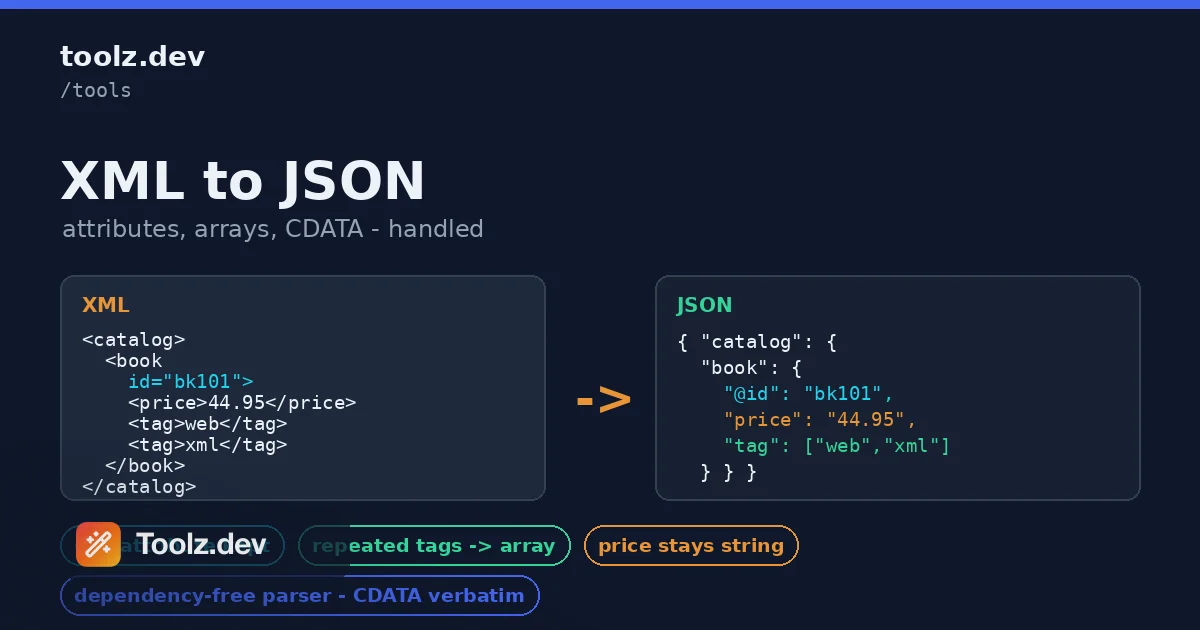
Attributes have no JSON equivalent. <book id="bk101">War and Peace</book> has an attribute (id) and text content (War and Peace). JSON has no notion of an attribute; everything is a key-value pair. A converter must invent a convention, and the widespread one is to prefix attribute keys - { "book": { "@id": "bk101", "#text": "War and Peace" } }. Drop the attributes, as naive converters do, and you've silently lost data.
JSON has arrays; XML doesn't. In XML, a list is just the same tag repeated: three <item> elements under one parent. But a single <item> looks structurally identical to a list of one. JSON needs to know whether to emit an object or an array, and the only signal available is occurrence - so repeated tags become arrays and single tags stay objects.
Mixed content. An element can hold both child elements and loose text. JSON objects can't naturally represent "this object also has a bare string value," so the text goes under a reserved key like #text.
Types don't exist in XML. Every value in XML is text. <price>44.95</price> is the string "44.95", not a number, unless a converter chooses to coerce it - and that choice can be wrong, because <zip>08544</zip> must stay a string or lose its leading zero.
The converter handles each of these explicitly rather than pretending they don't exist. That's why the output stays faithful to the source instead of quietly dropping the parts of XML that JSON has no slot for.
When Do Repeated Elements Become Arrays?
This is the single most confusing part of XML-to-JSON conversion, and it's worth understanding rather than being surprised by. The rule the converter uses is occurrence-based: within a given parent, if a tag name appears more than once, its values collapse into a JSON array; if it appears exactly once, it stays a single object or value.
So a <catalog> with two <book> children produces { "catalog": { "book": [ {...}, {...} ] } } - an array. But a <catalog> with one <book> produces { "catalog": { "book": {...} } } - a plain object, no array.
The consequence to plan for: a list of one item doesn't look like a list. If your downstream code expects catalog.book to always be an array and iterates over it, a single-book response will break it, because book will be an object that particular time. This isn't a bug in the conversion - it's an unavoidable consequence of XML not marking lists - but it's a real gotcha in integrations where the item count varies. My shipping-carrier disaster was exactly this: one-package orders returned an object where multi-package orders returned an array, and my code assumed array.
The defensive pattern in your consuming code is to normalize: if a field could be either, coerce it to an array before iterating ([].concat(catalog.book)). Knowing why the shape varies is what lets you write that guard instead of getting burned by it.
How Are Attributes and Namespaces Handled?
Attributes convert to object keys with an @ prefix. <user role="admin" active="true"> becomes { "user": { "@role": "admin", "@active": "true" } }. The prefix keeps attributes visually distinct from child elements and prevents a collision where an attribute and a child element share a name. If you don't need attributes at all - you only want the element data - the converter has an "ignore attributes" option that drops them entirely for a cleaner result.
Namespaces come through as part of the tag name. <soap:Body> becomes a key literally named "soap:Body", and xmlns:soap="..." is an attribute like any other, landing under @xmlns:soap. This is the pragmatic choice: fully resolving namespaces to their URIs would produce unwieldy keys and rarely matches what integration code actually wants, which is to address soap:Body by its familiar prefixed name. If you're processing SOAP or SVG or any namespaced vocabulary, the prefixes you know from the XML are the keys you get in the JSON.
CDATA sections - the <![CDATA[ ... ]]> blocks that let XML carry raw text with special characters - are read verbatim, with no entity decoding, which is exactly their purpose. A <script> or <description> wrapped in CDATA to protect its ampersands and angle brackets comes through with those characters intact. Outside CDATA, standard entities (<, &, and friends) and numeric references (é, é) are decoded to their actual characters.
How Do You Convert XML to JSON With the Tool?
Step 1: Paste Your XML
Any well-formed XML works - with or without the <?xml ?> declaration, with or without namespaces. The declaration, DOCTYPE, comments, and processing instructions are recognized and skipped, so you can paste a full document straight from an API response or a file. The Load Sample button gives you a catalog with attributes, nested elements, and a repeated tag, so you can see every conversion behavior at once.
Step 2: Choose Your Options
Pick 2- or 4-space indentation for the JSON. Decide whether to include attributes or drop them. And choose whether to parse types: leave it off and every value stays a string (safe, lossless); turn it on and unambiguous numbers and booleans become real JSON numbers and booleans. Off is the right default when values like ZIP codes or IDs might have leading zeros you need to preserve.
Step 3: Convert and Review
The converter parses first and reports malformed markup - a mismatched closing tag, an unclosed element, an unterminated CDATA block - with a specific message rather than producing garbage JSON. On success, the JSON appears with line and byte counts. Skim it to confirm the array-vs-object decisions match your expectations.
Step 4: Copy or Download
Copy the JSON to your clipboard for pasting into code, or download it as a .json file. From here it drops into a request body, a data store, or the next stage of your pipeline. If the next step is a config format, the JSON to YAML converter takes it further.
What Are the Common Workflows for This Conversion?
Integrating Legacy SOAP APIs
SOAP is still everywhere in enterprise, banking, logistics, and government systems, and it speaks XML exclusively. When a modern JavaScript or Node service needs to consume a SOAP response, converting the XML envelope to JSON is step one. The namespace-preserving conversion means soap:Body and soap:Envelope keep their familiar names, and the attribute handling keeps the metadata that SOAP loves to hang off elements. This is the same category of glue work covered in the API debugging guide.
Reading RSS and Atom Feeds
RSS and Atom feeds are XML, and pulling them into a JavaScript app means converting them. A feed's <item> elements are the textbook repeated-tag case - they become a JSON array of items, exactly what you want to .map() over to render a list. Attributes like an enclosure's url and type are preserved under their prefixed keys, so podcast and media feeds keep their audio links intact.
Migrating Config and Data Files
Older applications store configuration and data in XML - think .config files, sitemaps, exported datasets, Office Open XML fragments. Converting these to JSON is the first move when modernizing a system or importing legacy data into a JSON-native store. The type-parsing option is useful here when you know the numeric fields are genuinely numeric and want them typed in the destination.
Testing and Prototyping
When you're wiring up a data flow and just need to see the shape of an XML payload as JSON - to design a TypeScript interface, to mock a response, to check a field path - a quick conversion in the browser beats writing throwaway parser code. Convert, read the structure, write your types against it.
XML vs JSON: When Does Each Format Fit?
| XML | JSON | |
|---|---|---|
| Primary era & ecosystem | Enterprise, SOAP, documents | Web APIs, JavaScript, config |
| Attributes | First-class | None - mapped to prefixed keys |
| Arrays | None - repeated tags imply lists | First-class |
| Types | All text | Strings, numbers, booleans, null |
| Comments | Supported | Not in the spec |
| Namespaces | First-class | None - kept as prefixed key names |
| Verbosity | Higher - closing tags, attributes | Lower - braces and brackets |
| Natural habitat | SOAP, RSS/Atom, Office formats, config | REST APIs, front-end data, package.json |
The pattern behind the table: XML was built for documents and enterprise interchange where structure, validation, and self-description matter; JSON was built for the web where lightness and a direct map to JavaScript objects matter. The conversion direction is overwhelmingly XML-to-JSON because the movement in the industry is from older XML-based systems toward JSON-native front ends and services - you're meeting legacy data where it lives and bringing it into a modern pipeline. The broader set of format tools for that pipeline is in the coding tools guide.
Is It Safe to Convert XML That Contains Sensitive Data?
Integration payloads are dense with things you don't want to leak: SOAP responses carrying customer records, config files with internal endpoints and credentials, data exports with personal information. And these are exactly what gets pasted into online converters, usually mid-integration, usually in a hurry.
The toolz.dev converter parses and converts entirely in your browser with a dependency-free parser - no DOMParser, no server call, no data leaving the page. Disconnect your network after the page loads and it still works. That's an architectural fact about how the tool is built, not a promise in a policy document, and it's the browser-first principle behind the whole toolbox, detailed in the data privacy guide.
The standard caveat applies: client-side conversion protects the conversion step. What you do with the JSON afterward - where you paste it, what you send it to - is a separate decision. But the transform itself keeps your XML on your machine.
FAQ
How do I convert XML to JSON online?
Paste your XML into the XML to JSON Converter and click Convert. The tool parses the XML, converts it to JSON with your chosen indentation and options, and lets you copy or download the result. Processing is 100% in-browser - nothing is uploaded.
How are XML attributes represented in the JSON output?
Attributes become object keys prefixed with @, so a book element with id="bk101" converts to a "@id" key. This keeps attributes distinct from child elements. You can turn attribute output off entirely with the ignore-attributes option if you only need the element data.
Why do some XML elements become arrays and others stay objects?
JSON has no way to mark that an element could repeat, so the converter uses occurrence: if a tag appears more than once under the same parent it becomes an array, and if it appears once it stays a single object. This mirrors the source faithfully, though it means a list with one item looks like a single object rather than an array.
Does the converter handle CDATA sections and XML entities?
Yes. CDATA blocks are read verbatim without entity decoding, which is their purpose. Outside CDATA, the standard entities like <, >, &, ", and ' and numeric character references like é and é are decoded into their actual characters.
Can I convert a SOAP response or RSS feed to JSON?
Yes. SOAP envelopes and RSS or Atom feeds are ordinary XML, so they convert like any other document. Namespaced tags keep their prefix in the key name - soap:Body becomes a "soap:Body" key - and repeated elements like RSS items become a JSON array you can map over.
Will numbers and booleans stay as text after conversion?
By default yes, because XML has no type system and values like "007" or "1.10" may be meaningful as text. Enable the type-parsing option to convert unambiguous numeric and boolean text into real JSON numbers and booleans when that is what you want.
Is it safe to convert XML that contains sensitive data?
Yes. The parser runs entirely in JavaScript in your browser - no network request carries your data, nothing is logged or stored, and the tool works offline. XML with customer records, internal identifiers, or integration secrets never leaves your machine.
What is the difference between XML and JSON?
XML is a markup language with opening and closing tags, attributes, namespaces, and comments, designed for documents and enterprise data exchange. JSON is a lighter format built from objects, arrays, and primitive values, and is the default for modern web APIs. Converting XML to JSON is common when integrating older SOAP or feed-based systems with JavaScript front ends.
XML and JSON look interchangeable and aren't, because JSON has no attributes, no arrays-by-repetition, and no text-alongside-children - the exact places a naive conversion silently loses data. A converter that handles those cases on purpose gives you JSON that's faithful to the source: paste your XML, check how it mapped the attributes and repeated tags, and bring clean data into your pipeline instead of a plausible-looking corruption.