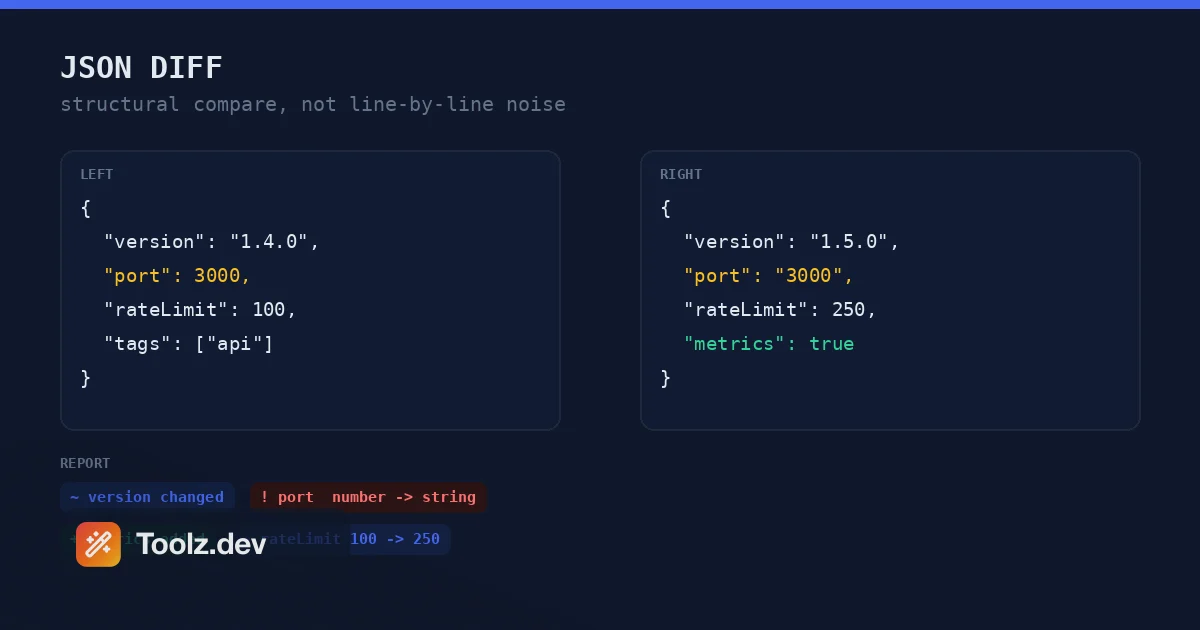
I lost an afternoon once to a config file that "changed" between two deploys. The diff in my terminal was a wall of red, hundreds of lines, and I spent an hour hunting for the real change before realizing the deploy pipeline had reformatted the file: reindented it, reordered a few attributes, rewrapped some long lines. Not one byte that a parser would care about had actually changed, except a single value buried in the noise. A line-based diff could not tell me that, because a line-based diff does not understand XML. This guide is about comparing XML the way it deserves to be compared, using the XML Diff Checker on toolz.dev, and why a structural comparison finds the one change that matters instead of drowning it in formatting.
TL;DR: An XML diff compares two documents as node trees, not as lines of text, so reindenting, reordering attributes, or rewrapping lines does not register as a change. It reports which elements, attributes, and text values were added, removed, or changed, each pinned to a node path. The XML Diff Checker does this entirely in your browser, with nothing uploaded.
What is an XML diff checker?
An XML diff checker compares two XML documents and reports what changed as a set of structural differences: which elements appeared or disappeared, which attributes changed value, and where the text content differs. Instead of comparing the files line by line, it parses both into node trees and compares them as data. You paste the original on the left, the new version on the right, and get back a list of differences, each labelled with the exact path in the tree where it happened.
The point of a structural comparison is that XML carries the same meaning across many different byte layouts. The W3C XML specification is explicit that some surface details do not affect the parsed document: the order of attributes on an element is not significant, and whitespace between elements is usually just formatting. Two files can be structurally identical while differing in indentation, attribute order, line endings, or whether an empty element is written as <tag></tag> or <tag/>. A plain text diff flags all of that; a structural diff ignores it and shows only what a parser would actually read differently.
On toolz.dev the workflow is short. Paste both documents, choose whether to ignore whitespace, attributes, or case, and press Compare. The tool parses both trees and lists every difference by path, grouped into added, removed, and changed, with the old and new values side by side.
How is an XML diff different from a text diff?
A text diff, the kind built into Git and most editors, compares files as sequences of lines and finds the shortest set of insertions and deletions that turns one into the other. That is exactly right for source code, where lines are meaningful units. It is the wrong model for XML, where meaning lives in the tree and the line breaks are decoration.
The failure modes are predictable. Reindent the document and a text diff marks nearly every line changed. Reorder two attributes on one element and it flags that line even though the element is identical to a parser. Add a single child near the top and every line below it shifts, so the diff shows a cascade of moves that are not really changes. You end up scanning hundreds of flagged lines to find the one that matters, which is the afternoon I described above.
A structural diff sidesteps all of that by parsing first. It builds a tree from each document, then walks the two trees together comparing nodes. Formatting differences simply do not exist at the tree level, so they cannot appear in the output. What remains is the set of changes that would alter how software consuming the XML behaves, which is almost always the set you actually care about. If your data is JSON rather than XML, the same principle applies and the JSON Diff tool does the equivalent structural comparison there.
How does it decide what changed?
The comparison happens in three layers at each element, and separating them is what makes the output readable.
Attributes are compared by name, independent of the order they appear in the tag, because attribute order is not significant in XML. For each element the tool checks which attributes exist on both sides, and reports an attribute as changed when its value differs, added when it appears only on the right, or removed when it appears only on the left. Reordering <a x="1" y="2"/> to <a y="2" x="1"/> produces no difference at all.
Text content is compared as the direct text of each element. With whitespace handling on, runs of spaces and newlines are collapsed and leading and trailing whitespace is trimmed, so pretty-printing the document does not create phantom text changes. Only a genuine change to the words between the tags is reported.
Child elements are the interesting part. Elements that share a tag name are paired by their order of appearance: the first <item> on the left is compared to the first <item> on the right, the second to the second, and so on. When one side has more occurrences than the other, the extras are reported as added or removed rather than forcing a misalignment. This ordering rule is what keeps a small change in one repeated element from cascading into a diff of every sibling.
Here is how the two comparison models stack up:
| Aspect | Text diff | XML diff (structural) |
|---|---|---|
| Unit compared | Lines of text | Nodes in a tree |
| Reindentation | Shows as changes | Ignored |
| Attribute reorder | Shows as a change | Ignored |
| Reports change location | Line number | Node path, e.g. /catalog/book[2]/@id |
| Distinguishes element vs attribute vs text | No | Yes |
| Best for | Source code, prose | XML config, API payloads, SVG, sitemaps |
A concrete example makes the layering clear. Take a small book catalog where, between two versions, one book's category attribute changes from fiction to mystery, that same book's price text changes from 12.99 to 14.99, and the second book gains a new isbn element. A line diff would flag all three plus any reindentation around them, jumbled together. The structural diff reports exactly three differences: a changed attribute at the category path, a changed text node at the price path, and an added element at the isbn path. Each is tagged with its kind, so you can tell at a glance that two were edits to existing data and one was a genuine addition. That separation is the difference between reading a report and decoding one.
The tool also groups the results into added, removed, and changed tabs with a running count, so you can answer coarse questions first, such as "did anything get deleted," before drilling into the specifics. On a large document this ordering matters: removals are often the most dangerous change, because a dropped element can silently strip a required field, and being able to isolate them without wading through unrelated edits is a real time saver.
What does the node path in a difference mean?
Every difference is labelled with a path that tells you exactly where in the tree it sits, so you can jump to it instead of scanning the file. The path is built from element names, joined by slashes from the root down. When an element has siblings of the same name, a one-based index in brackets disambiguates which one, so /catalog/book[2] is the second book. An attribute is written with an @ prefix, as in /catalog/book[1]/@category, and a text change is marked with text(), as in /catalog/book[2]/price/text().
This notation is deliberately close to XPath, the W3C language for addressing nodes in an XML document, so if you already read XPath the paths will feel familiar and you can often paste a similar expression into your own tooling to select the same node. Even without knowing XPath, the paths read naturally: names go down the tree, brackets pick a sibling, @ is an attribute, and text() is the content.
Because the path names the kind of change too, the report answers three questions at once: what changed, where it lives, and whether it was an element, an attribute, or text. That is usually enough to open the right file and fix the right line without any further hunting.
When would I actually use this?
Configuration drift is the case I hit most. When a service behaves differently between two environments and the only suspect is an XML config, comparing the two files structurally tells you in seconds whether a value genuinely changed or someone just reformatted the file. The same applies to build and deploy pipelines that rewrite XML, where you need to confirm a transformation changed only what it was supposed to.
API and integration work is the next. SOAP responses, RSS and Atom feeds, and older REST APIs still speak XML, and when a payload stops parsing correctly a structural diff against a known-good sample pinpoints the offending element fast. SVG is XML too, so comparing two exported icons shows exactly which path or attribute an editor altered. Sitemaps, Android layout files, Maven POMs, and .docx internals are all XML under the hood, and all benefit from the same treatment. I build across the stack, and XML turns up in more corners than people expect, which is why this lives next to the XML Formatter and XML to JSON in my bookmarks. I sketched how these fit a broader kit in the JSON to XML guide.
There is a code-review angle too. When a pull request touches an XML fixture or a generated file, the raw diff in the review UI is often unreadable because a formatter rewrote the whole thing. Running the before and after through a structural comparison, then pasting the short report into the review, tells your reviewer what actually changed in one glance instead of asking them to trust a wall of red. The tool's copyable text report exists for exactly that: a compact summary of every added, removed, and changed node with its before and after values, ready to drop into a ticket, a commit message, or a chat thread.
The neighboring comparison tools cover the cases XML diff does not. When your data is tabular, the CSV Diff compares rows and cells, and for two plain lists the List Compare tool does set differences. They share the same philosophy: parse the data into its natural shape first, then compare, so the diff reflects meaning rather than layout.
What are the limits, and is my XML private?
The tool compares structure, which means it deliberately does not report the kinds of differences that structure does not capture. Reordering two attributes, changing indentation, or swapping self-closing syntax are all treated as no change, by design. If your use case genuinely needs a byte-exact comparison, a text diff is the right tool and this is not. The structural diff also pairs repeated elements by position, so if the same records are shuffled into a different order the tool sees the moved ones as changed rather than relocated; sorting both documents by a stable key first, when that makes sense, gives the cleanest result.
Malformed XML is reported rather than guessed at. If a document has a mismatched or unclosed tag, or more than one root element, the tool names the problem and tells you which side it came from, so you never get a misleading diff from broken input. It handles the common real-world constructs a parser must: attributes in single or double quotes, self-closing tags, CDATA sections, comments, processing instructions, and standard entity references like < and &.
On privacy, everything runs in your browser. Both documents are parsed and compared locally, and nothing is uploaded, logged, or stored. That is the property that makes it safe to diff a production config, an internal API payload, or a customer-specific file, none of which belong on a stranger's server. The data privacy in online tools guide explains how to verify a tool is genuinely client-side, which is worth doing before you paste anything sensitive into any web tool.
Frequently asked questions
How do I compare two XML files?
Paste the original XML into the first field and the changed XML into the second, then press Compare. The tool parses both into node trees and lists every added, removed, and changed element, attribute, and text value, each pinned to its node path. Nothing is uploaded.
How is an XML diff different from a plain text diff?
A text diff compares files line by line, so reindenting, reordering attributes, or rewrapping lines makes almost everything look changed. An XML diff parses both documents into trees first and compares them structurally, so it reports only differences that would change how a parser reads the document.
Does reordering attributes count as a change?
No. Attributes are compared by name regardless of the order they appear in the tag, because attribute order is not significant in XML. Only a changed value, an added attribute, or a removed attribute is reported.
How are repeated elements matched between the two documents?
Child elements that share a tag name are paired by their order of appearance, so the first item is compared to the first item, the second to the second, and so on. If one document has more occurrences than the other, the extras are reported as added or removed.
What does the node path in each difference mean?
The path shows where in the tree the change is, using element names, a one-based index in brackets when there are siblings of the same name, @name for an attribute, and text() for text content. For example, /catalog/book[2]/@id points to the id attribute of the second book.
Does whitespace or formatting affect the comparison?
By default whitespace-only text is ignored and runs of whitespace inside text are collapsed, so reformatting the document does not create false differences. You can rely on the structural comparison rather than matching indentation exactly.
What happens if the XML is malformed?
The tool reports a clear error naming the problem, such as a mismatched or unclosed tag, and tells you which document it came from. It does not guess at a repair, so you never get a misleading diff from broken input.
Are my XML documents uploaded anywhere?
No. All parsing and comparison happen as JavaScript in your browser. Nothing is transmitted, logged, or stored. You can confirm this by watching the network tab or by disconnecting from the internet, the tool keeps working offline.
Compare your own documents with the free XML Diff Checker. It reports structural differences by node path, entirely in your browser, with nothing uploaded.