Result appears here
Result appears here
Result appears here
Result appears here
Result appears here
Result appears here
Result appears here
Result appears here
Result appears here
What is Case Converter?
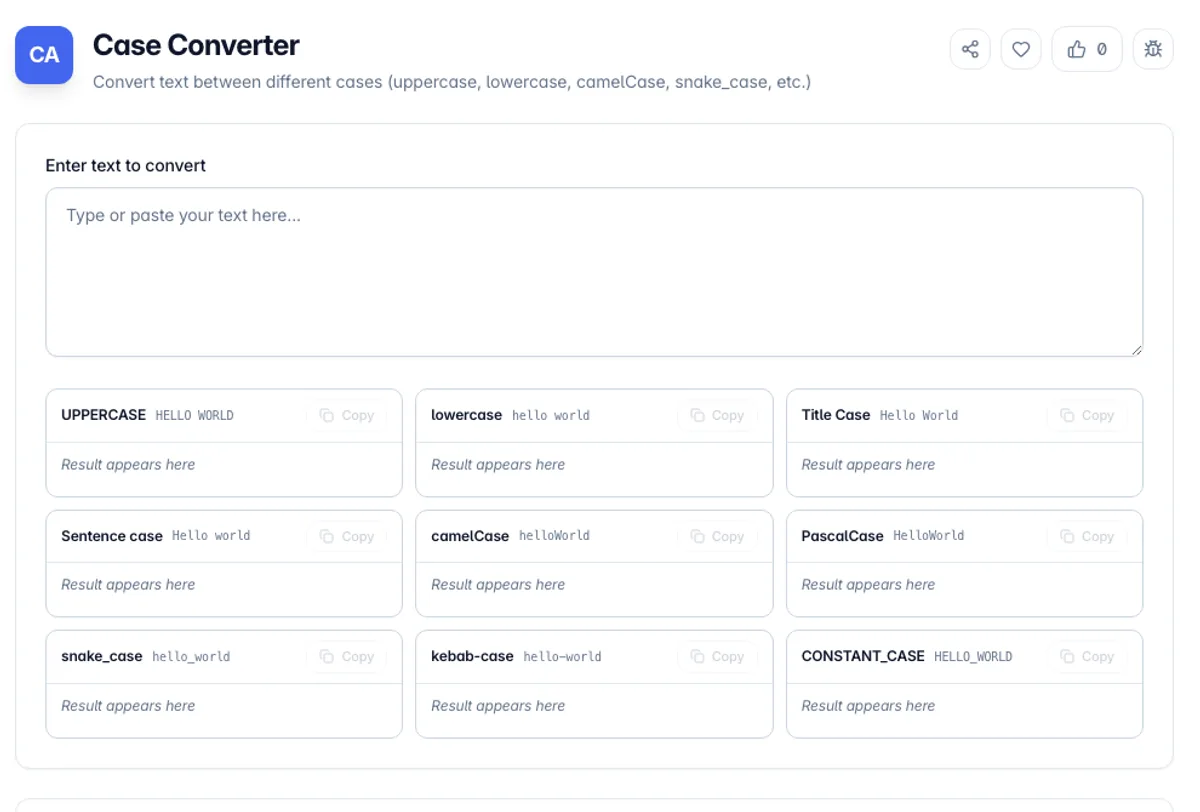
Case Converter is a free online tool that instantly transforms text between different letter cases and naming conventions. Whether you need to convert a paragraph to uppercase, format a variable name in camelCase, or transform headings into title case, this tool handles it all with a single click.
The tool supports a wide range of case formats including uppercase, lowercase, title case, sentence case, camelCase, PascalCase, snake_case, kebab-case, and more. It is especially useful for developers who need to switch between programming naming conventions, writers formatting headings, or anyone working with text that needs consistent casing.
All text processing happens directly in your browser, so your content never leaves your device. Simply paste your text, select your desired case format, and copy the transformed result. It works with any language and any length of text, making it a versatile addition to your productivity toolkit.
As a Pascal case converter and a camel case converter, it works on plain phrases as well as existing identifiers. Type get HTTP response and the PascalCase card shows GetHttpResponse while the camelCase card shows getHttpResponse, with get_http_response and get-http-response in the snake_case and kebab-case cards next to them. All nine results appear at once, so you copy the one your codebase uses instead of converting the same phrase nine times. Note that a run of capitals is folded to one capitalised word: HTTP becomes Http.
The programmer cases are where conversions disagree, and it helps to know what to expect. Acronyms are the classic problem: HTTPServer can reasonably become httpServer or hTTPServer depending on whether the converter treats a run of capitals as one word, and codebases genuinely differ on which they prefer. Separators matter too, since converting to camelCase has to decide what counts as a word boundary in a string mixing spaces, hyphens, underscores and digits. There is also a locale trap worth knowing about even though it rarely bites in the browser: in Turkish, the uppercase of i is a dotted capital and the lowercase of I is a dotless one, which is why case conversion in server code is a documented source of bugs when the machine locale is not what the developer assumed. Conversions here use invariant rules.
How to use Case Converter?
Enter your text
Paste or type the text you want to convert into the input field. The tool accepts any amount of text, from a single word to entire documents.
Choose a case format
Select from available case options: uppercase, lowercase, title case, sentence case, camelCase, PascalCase, snake_case, kebab-case, and more.
View the result
The converted text appears instantly in the output area. You can see the transformation in real-time as you type or change case options.
Copy the output
Click the copy button to copy the converted text to your clipboard. Paste it anywhere you need the formatted text.
Key Features
Detects Word Boundaries
Splits on spaces, hyphens, underscores and existing camel humps, so XMLHttpRequest and my-variable-name both convert cleanly
Multiple Case Formats
Supports uppercase, lowercase, title case, sentence case, camelCase, PascalCase, snake_case, kebab-case, and more
Instant Conversion
Text is converted in real-time as you type or paste, with no delays or loading screens
Developer-Friendly
Quickly switch between programming naming conventions like camelCase, snake_case, and PascalCase
Frequently Asked Questions
Related Tools
Duplicate Line Remover
Remove duplicate lines from text while keeping the original order. Dedupe a list, drop every repeated line, or keep only the duplicates, with case and whitespace options. Runs client-side.
Find and Replace Text
Find and replace text online without regular expressions. Apply several rules at once, match whole words, and control case. Client-side, no signup.
Line Sorter
Sort lines of text alphabetically, numerically, or by length, reverse or shuffle them, and remove duplicates, blank lines, and whitespace - all in your browser.
Remove Line Breaks
Remove line breaks and carriage returns from text and join the lines back together. Flatten a whole block or keep paragraph breaks, with trim and space-collapse options, all in your browser.
Comments
0 comments
No comments yet. Be the first to share your thoughts!