What is Color Picker & Converter?
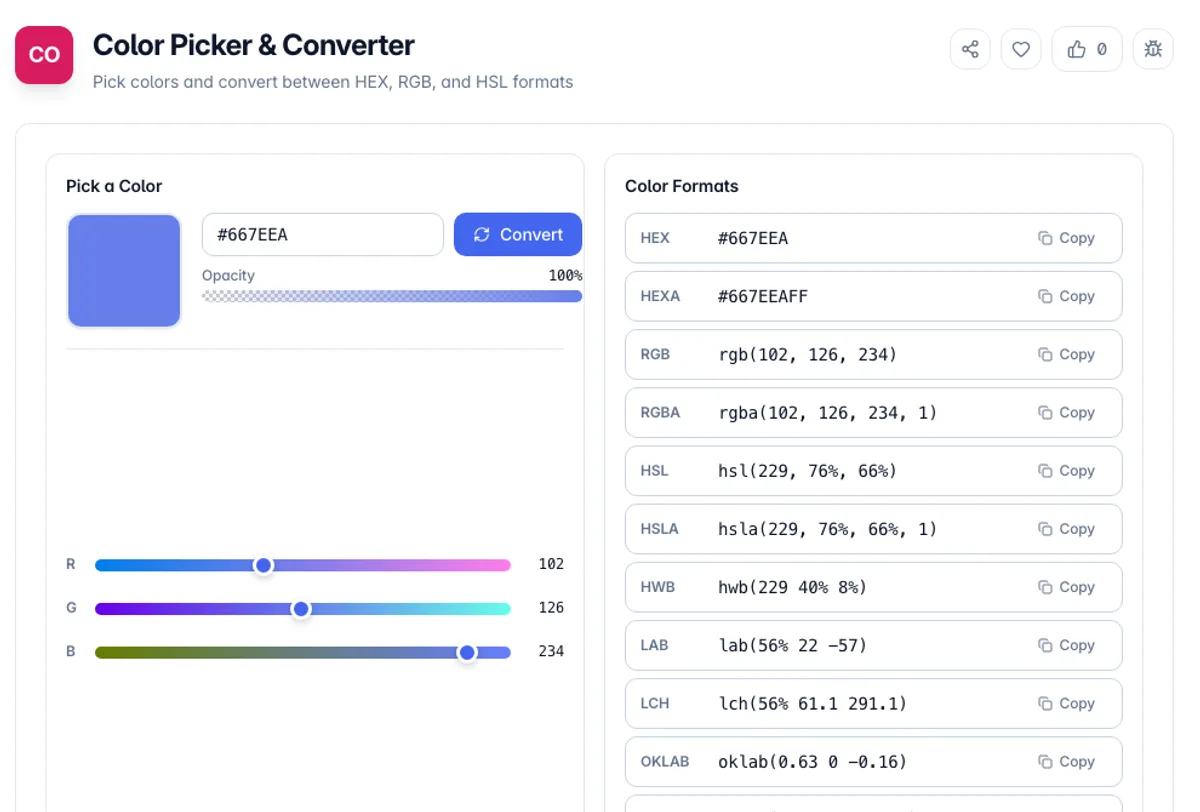
Color Picker & Converter is a free online tool that lets you select colors visually and convert between popular color formats including HEX, RGB, and HSL. It is an essential utility for web designers, developers, graphic artists, and anyone working with digital colors.
The tool provides an interactive color picker with a spectrum selector, brightness and saturation controls, and an opacity slider. As you pick a color, you instantly see the corresponding HEX code, RGB values, and HSL values, making it easy to grab the exact format you need for your project.
Beyond basic color picking, the tool also generates complementary, analogous, and other color harmony palettes based on your selected color. This helps you quickly build cohesive color schemes for websites, apps, and design projects. All processing runs in your browser with no installation required.
HEX, RGB and HSL are three ways of writing the same sRGB colour rather than three colour spaces, so converting between them is exact and lossless in both directions. HSL is the useful one to reason in, because adjusting lightness or saturation while holding hue keeps colours in the same family, which is far harder to do by editing hex digits. Modern CSS adds notations that reach outside sRGB, such as oklch and display-p3, and those can describe colours no hex value can. Anything expressed here stays inside sRGB, which is the safe common ground every display can show. The eyedropper, where the browser provides one, samples the rendered pixel rather than the source colour, so a value picked from an image that has been scaled or colour-managed can differ slightly from the original file.
How to use Color Picker & Converter?
Pick a color
Use the visual color picker to select a color by clicking on the spectrum, adjusting the hue slider, or entering a specific color value in any format.
View color values
See the selected color displayed in HEX, RGB, and HSL formats simultaneously. Each format updates in real-time as you adjust the color.
Explore color harmonies
View complementary, analogous, triadic, and other color harmony suggestions based on your selected color to build cohesive palettes.
Copy the color code
Click on any color format to copy it to your clipboard. Use it directly in your CSS, design tool, or application.
Key Features
Alpha Channel Support
Reads and writes 8-digit HEX and rgba, so a colour with transparency survives the conversion rather than losing its alpha
Multi-Format Conversion
Instantly convert between HEX, RGB, and HSL color formats with a single color selection
Visual Color Picker
Interactive color spectrum with hue, saturation, and brightness controls for precise color selection
Color Harmony Palettes
Generate complementary, analogous, triadic, and split-complementary color schemes automatically
Frequently Asked Questions
Related Tools
Color Contrast Checker
Check the contrast ratio between a text color and its background against WCAG 2.2 AA and AAA thresholds, with a live preview and one-click accessible-color suggestions.
Color Converter
Convert color codes between HEX, RGB, HSL, HWB, and CMYK instantly
Color Mixer
Blend two colors with adjustable ratio and blend modes, and build a gradient between them
Color Palette Generator
Generate harmonious color palettes from any base color - shades and tints, complementary, analogous, triadic, and monochromatic - with HEX codes you can copy and a CSS variables export.
Comments
0 comments
No comments yet. Be the first to share your thoughts!