What is a CSV to JSON converter?
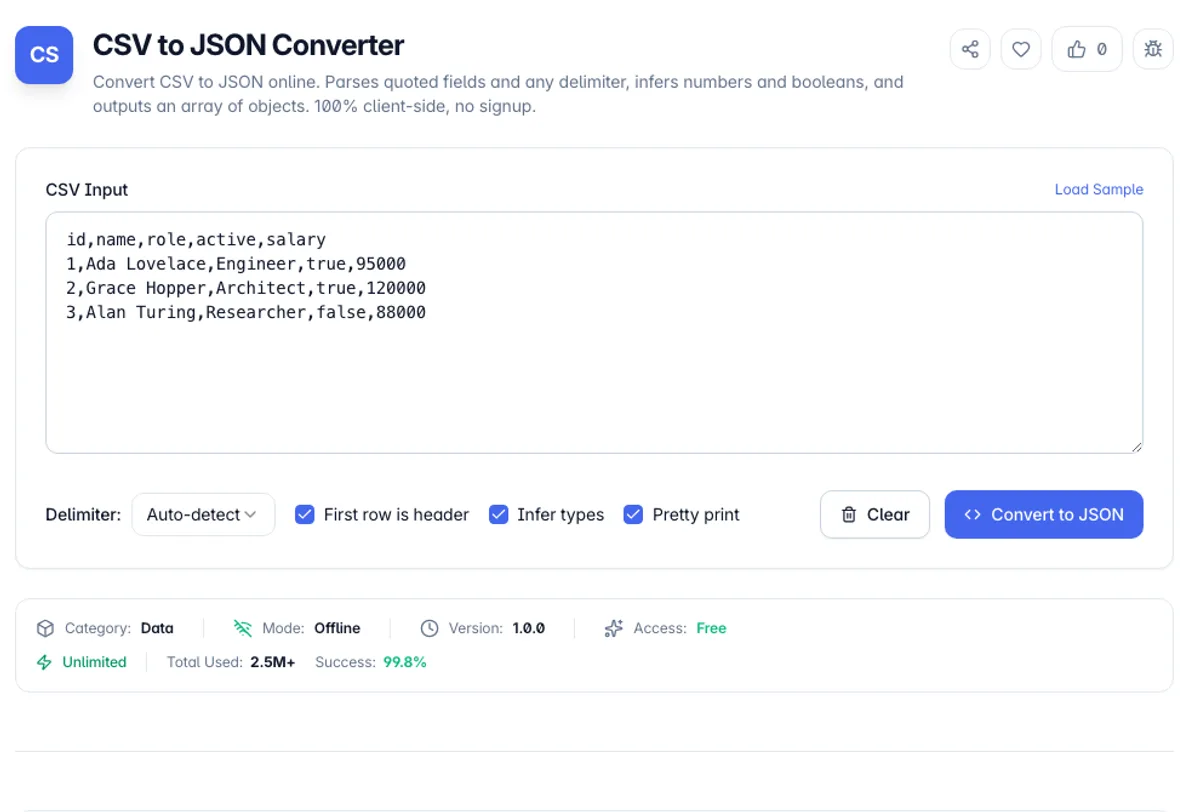
A CSV to JSON converter reads comma-separated values and rewrites each row as a JSON object, keyed by the column headers. Paste a spreadsheet export, a database dump, or an analytics report and get back a clean JSON array you can feed straight into an API, a config file, or a JavaScript app. The first row becomes the property names and every following row becomes one object in the array.
A three-line test shows what this online CSV to JSON converter keeps and what it changes. Paste sku,price,in_stock,zip then 00123,19.90,true,02134 then 98765432109876543210,5,FALSE,90210 and click Convert to JSON with Infer types ticked. The first object is "sku": "00123", "price": 19.9, "in_stock": true, "zip": "02134", so leading-zero values stay strings. The second row shows the limits: zip 90210 becomes a number, and the 20-digit sku becomes 98765432109876540000, because a JSON number in JavaScript holds only about 15 to 17 significant digits. Untick Infer types to keep both as text.
CSV is how spreadsheets and most business systems export data, but almost every web API and JavaScript program expects JSON. Converting by hand is slow and error-prone once a field contains a comma, a line break, or a quotation mark, because those characters have special meaning in CSV. This tool implements the RFC 4180 quoting rules, so a value like "Smith, John" wrapped in quotes stays a single field instead of splitting into two columns. It auto-detects whether your file uses commas, semicolons, tabs, or pipes, and it can coerce numeric and boolean text into real JSON numbers and booleans so you do not end up with everything as strings.
Everything runs in your browser with a dependency-free parser, so nothing you paste is uploaded or stored. CSV exports often carry customer records, order data, or internal identifiers, and none of it leaves your device. The converter keeps working offline once the page has loaded, handles files with or without a header row, and warns you about duplicate column names or rows with the wrong field count instead of silently dropping data.
How to use the CSV to JSON converter?
Paste or load your CSV
Paste CSV text into the input panel, or click Load Sample to start from an example with a header row, numbers, and boolean values.
Set the delimiter and header
Leave the delimiter on Auto-detect or pick comma, semicolon, tab, or pipe. Untick First row is header if your first row is data rather than column names.
Choose type inference
Keep Infer types ticked to turn 42, 3.14, true, and null into real JSON values, or untick it to keep every field as a string - useful for IDs and zip codes.
Copy or download the JSON
Click Convert to JSON. Copy the array to your clipboard or download it as data.json for your API, script, or import.
Key Features
RFC 4180 Parsing
A proper state-machine parser handles quoted fields, escaped double quotes, embedded delimiters, and line breaks inside a value without breaking the row
Delimiter Auto-detection
Detects comma, semicolon, tab, and pipe separated files by scoring which delimiter gives the most consistent column count, or set it manually
Smart Type Inference
Optionally converts numeric and boolean text into real JSON numbers, booleans, and null, while keeping IDs with leading zeros as strings
Header and Headerless Modes
Use the first row as object keys for an array of objects, or treat every row as data to produce an array of arrays
Frequently Asked Questions
Related Tools
CSV to SQL Converter
Convert CSV data into SQL CREATE TABLE and INSERT statements for MySQL, PostgreSQL, or SQLite. Infers column types, escapes values, runs client-side.
CSV to XML Converter
Convert CSV data into well-formed XML in the browser. Each row becomes an element or a set of attributes, with delimiter auto-detection, custom element names, and proper escaping.
JSON to CSV Converter
Convert JSON to CSV online. Turns an array of objects into a spreadsheet-ready file, flattens nested objects, and escapes fields per RFC 4180. Client-side, no signup.
XML to JSON Converter
Convert XML to clean, valid JSON instantly - handles attributes, nested elements, repeated tags, and CDATA
Comments
0 comments
No comments yet. Be the first to share your thoughts!