What is the JSON to TypeScript Converter?
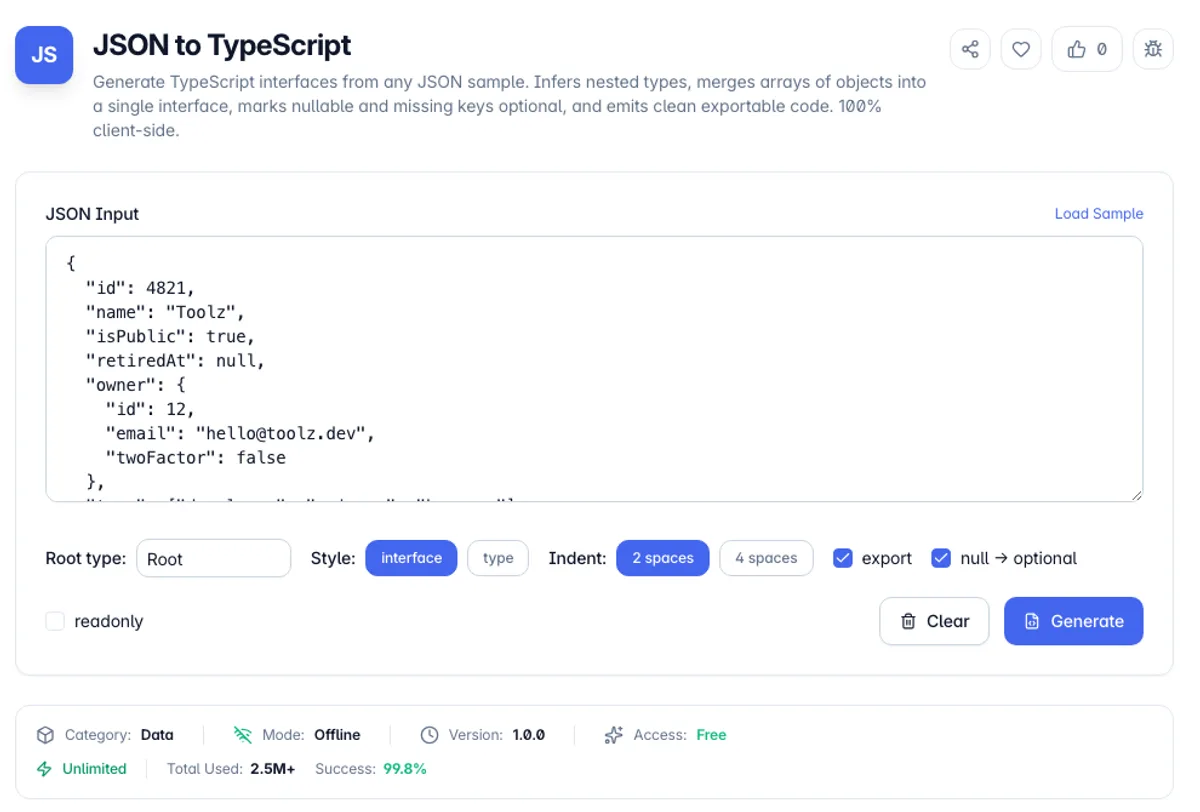
The JSON to TypeScript converter reads a sample JSON value - an API response, a config file, a database record - and writes the TypeScript interfaces that describe it. Nested objects become their own named interfaces, arrays of objects are merged into a single element interface rather than a sprawling union, and keys that are null or missing from some records are marked optional. You paste data you already have; you get types you would otherwise hand-write.
Typing an API response by hand is tedious and error-prone in a specific way: you type what you *think* the endpoint returns, not what it returned. Fields you never noticed get omitted, an integer that is sometimes null gets typed as `number`, and the mistake surfaces at runtime in production rather than in your editor. Generating types straight from a real payload closes that gap, because the shape you compile against is the shape the server sent.
Everything runs in your browser. The inference engine is dependency-free TypeScript, not a wrapper around a remote service, so payloads - which routinely carry access tokens, customer records and internal IDs - never leave the page. Choose interfaces or type aliases, toggle the `export` keyword and `readonly` modifiers, pick your indent width, then copy the output or download a .ts file.
A quick way to see what JSON to TypeScript conversion gives you is the built-in sample. Press Load Sample, then Generate. You get three JSON to TypeScript interfaces: `Root`, `Owner` and `Release`. The second release has no `notes` key, so the merged `Release` interface reads `notes?: string`, and `retiredAt` is null in the only record, so it becomes `retiredAt?: null`. That is the honest result, because one null gives no evidence of the real type. To convert JSON to TypeScript for a real endpoint, paste several records so the inference has more to compare.
The generated interfaces describe the sample you provided, not the API you are calling, and that distinction is the whole risk. A field that happens to be present in every object of your sample is marked required even if the server omits it sometimes, and a field that is null in the sample cannot be distinguished from one that is always null. Empty arrays are the clearest case: an array with no elements gives no information about what it contains. The array merging helps here by combining every object in a list into one interface and marking keys that are missing from some entries as optional, so a larger and more varied sample produces a more honest type. Where the API has a schema or OpenAPI document, generate from that instead and use this for exploring an undocumented response.
How to use the JSON to TypeScript Converter?
Paste your JSON
Drop in an API response, a fixture file or any JSON value. Load the sample first if you want to see how nested objects, arrays and null fields are handled.
Name the root type
Set the root type name - usually the resource, like User or Invoice. Nested interfaces are named automatically from their key, with array element names singularised (releases becomes Release).
Pick your output style
Choose interface or type alias, decide whether to export each declaration, add readonly modifiers if your codebase prefers immutable shapes, and set the indent to 2 or 4 spaces.
Generate, then copy or download
Press Generate. Review the inferred optionals and unions, then copy the code to your clipboard or download it as a .ts file ready to drop into your types folder.
Key Features
Nested interface extraction
Every nested object becomes its own named, reusable interface instead of an inline anonymous shape, so you can import and reference the inner types independently.
Smart array merging
An array of objects is merged into one element interface. Keys present in some records but not others become optional, which is exactly how real paginated API data behaves.
Nullable handling you control
Choose whether a null value means the key is optional or whether null belongs in the union. Both conventions are common; the tool does not force one on your codebase.
Interfaces or type aliases
Emit `interface User {}` or `type User = {}` to match your existing lint rules, with optional `export` and `readonly` modifiers applied consistently across every declaration.
Frequently Asked Questions
Related Tools
JSON Flattener
Flatten nested JSON into single-level dot-notation keys, or unflatten dotted keys back into nested objects and arrays. Lossless round trip. 100% client-side.
JSON Schema Generator
Generate a JSON Schema from any JSON sample. Infers types, merges arrays of objects into one item schema, derives required fields, and detects date-time, email, uri, and uuid formats. Draft-07 and 2020-12 output. 100% client-side.
JSON to Go Struct
Convert JSON into Go struct definitions with json tags. Nested objects become inline structs, arrays of objects are merged, and field names follow Go conventions. Runs client-side.
JSONPath Tester
Test JSONPath expressions against any JSON and see the matched values and their paths instantly. Supports wildcards, recursive descent, slices, and filters. 100% client-side.
Comments
0 comments
No comments yet. Be the first to share your thoughts!