What is Password Generator?
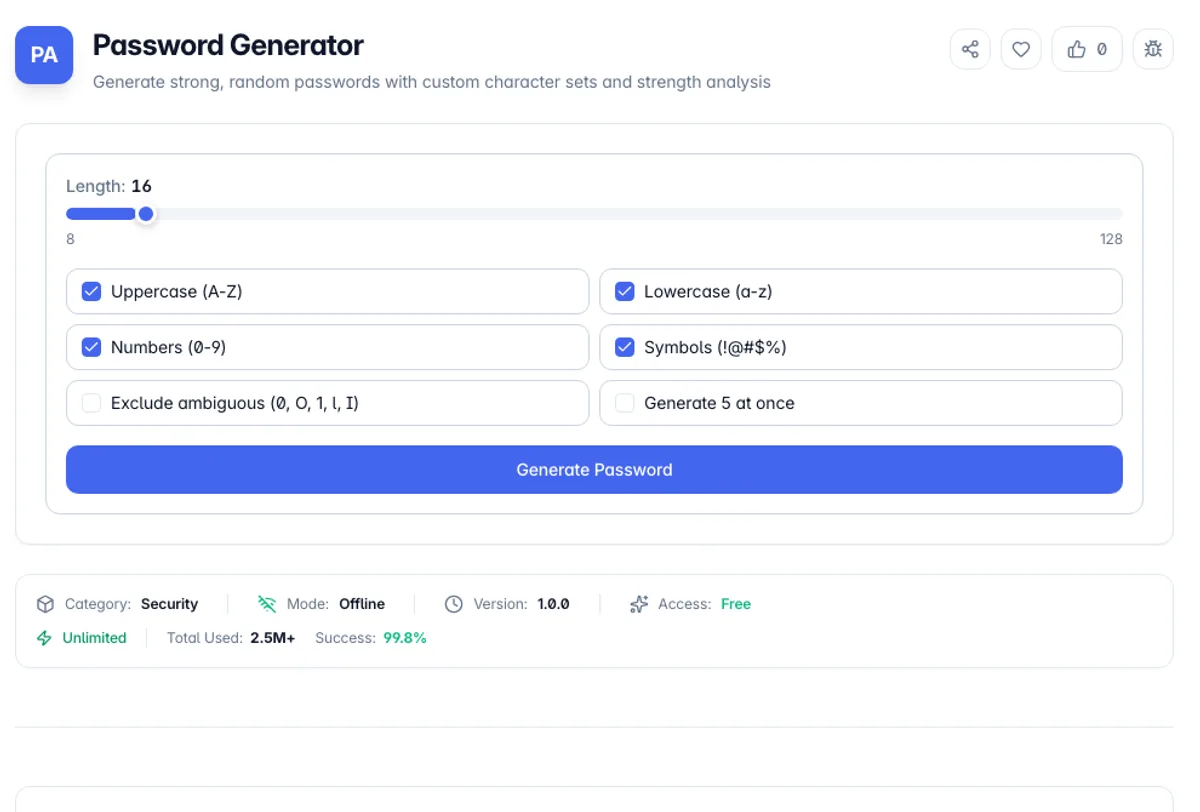
Password Generator creates random passwords using the Web Crypto API - the same crypto.getRandomValues() source that browsers use for TLS session keys. That matters because Math.random() is a predictable PRNG; given enough outputs, its internal state can be reconstructed and future values predicted. This tool uses a cryptographically secure source with rejection sampling, so every character has a truly uniform probability across your chosen pool with no modulo bias.
You control the recipe: length from 8 to 128 characters, and independent toggles for uppercase, lowercase, digits, and symbols. The exclude-ambiguous option strips lookalike characters - 0/O, 1/l/I, backtick, pipe - which saves real pain when a password gets read over the phone or typed off a sticky note into a server console. The generator also guarantees at least one character from every enabled set, so a 12-character password with symbols on will actually contain a symbol.
Everything runs 100% client-side in your browser. No password ever touches a network request, a server log, or an analytics event - you can verify that yourself in DevTools' Network tab, or just cut your connection and keep generating. The built-in strength meter shows entropy in bits alongside an estimated offline crack time at 10 billion guesses per second, which is a realistic figure for a GPU rig attacking a fast hash like MD5 or NTLM.
Length beats complexity, and the arithmetic is worth seeing. Each additional character multiplies the search space by the size of the alphabet, so adding one character to a 26-letter password does more than adding a symbol requirement to a short one. A 16-character random password from a mixed alphabet is beyond brute force with any foreseeable hardware; an 8-character one with a capital, a digit and a punctuation mark is not, and it is exactly the shape most password policies produce. The practical corollary is that generated passwords need a password manager, because nobody memorises sixteen random characters and the fallback is writing it down or reusing it. Excluding ambiguous characters trades a little entropy for not confusing 1 with l when reading a password aloud.
How to use Password Generator?
Set the length
Drag the slider anywhere from 8 to 128 characters. For most accounts, 16-20 characters is a sweet spot: comfortably past the point where brute force is infeasible, but still short enough to type manually when a password manager is not an option. Length beats complexity - each extra character multiplies the keyspace.
Pick your character sets
Toggle uppercase, lowercase, numbers, and symbols independently. Enable "exclude ambiguous" if the password will ever be transcribed by hand - it removes 0/O, 1/l/I and similar lookalikes. Some legacy systems reject certain symbols, so if a signup form keeps complaining, try turning symbols off and adding four characters of length instead.
Generate and check the meter
Hit Generate and watch the strength bar. It reports entropy in bits and an estimated crack time assuming an offline attacker running 10 billion guesses per second. Anything showing "centuries" or better is fine for real-world use. If you want options, switch to batch mode and generate five candidates at once.
Copy and store it properly
Click the copy button next to any password to put it on your clipboard, then paste it straight into your password manager. Do not reuse it across sites - a breach of one service turns a shared password into a skeleton key for every account that uses it.
Key Features
Cryptographically Secure
Uses crypto.getRandomValues() with rejection sampling - no Math.random() predictability, no modulo bias
Full Character Control
Independent toggles for uppercase, lowercase, digits, and symbols, with length from 8 to 128 characters
Exclude Ambiguous Characters
Optionally strip lookalikes like 0/O and 1/l/I for passwords that need to survive being read aloud or handwritten
Entropy-Based Strength Meter
Shows entropy in bits and a realistic crack-time estimate at 10 billion guesses per second
Frequently Asked Questions
Related Tools
Bcrypt Generator
Generate and verify bcrypt password hashes in the browser with an adjustable cost factor
Hash Generator
Generate MD5, SHA-1, SHA-256, SHA-384, and SHA-512 hashes from any text
JWT Decoder
Decode JWT headers and payloads, inspect claims, and check token expiry
Password Strength Checker
Test how strong a password is with an entropy-based strength meter, estimated crack times, and specific suggestions to make it harder to guess - all processed privately in your browser.
Comments
0 comments
No comments yet. Be the first to share your thoughts!