Cheatsheet
| Regex | Explanation |
|---|---|
. | any character except newline |
\w\d\s | word, digit, whitespace |
\W\D\S | not word, digit, whitespace |
[abc] | any of a, b, or c |
[^abc] | not a, b, or c |
[a-g] | character between a & g |
^abc$ | start / end of the string |
\b\B | word, not-word boundary |
\[\*\] | escaped special characters |
\t\n\r | tab, linefeed, carriage return |
(abc) | capture group |
\1 | backreference to group #1 |
(?:abc) | non-capturing group |
(?=abc) | positive lookahead |
(?!abc) | negative lookahead |
a*a+a? | 0 or more, 1 or more, 0 or 1 |
a{5}a{2,} | exactly five, two or more |
a{1,3} | between one & three |
a+?a{2,}? | match as few as possible |
ab|cd | match ab or cd |
What is Regex Builder?
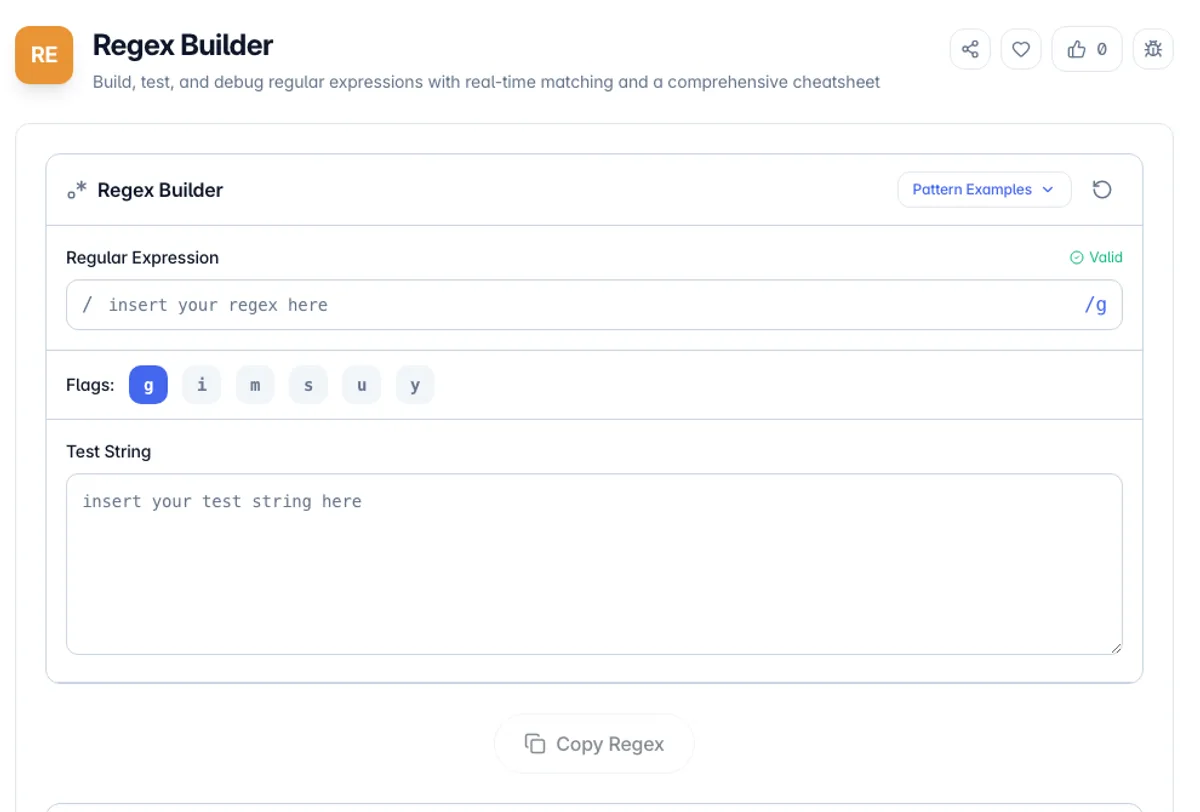
Regex Builder is a free online tool for building, testing, and debugging regular expressions with real-time matching and visual feedback. Regular expressions (regex) are powerful pattern-matching sequences used in programming, text processing, and data validation to search, match, and manipulate strings.
The tool provides a live testing environment where you can write a regex pattern and instantly see all matches highlighted in your test string. It includes a comprehensive cheatsheet covering character classes, quantifiers, anchors, groups, and lookaheads to help you construct the right pattern quickly.
Whether you are a developer writing input validation, a data analyst extracting patterns from text, or a student learning regex syntax, this tool provides instant visual feedback and helpful references. All processing runs locally in your browser, so your test data remains completely private.
Patterns built here run in the JavaScript engine, and regular expression flavours differ more than people expect. PCRE features that JavaScript has never had include recursion, possessive quantifiers and \K, so a pattern lifted from a PHP or Perl answer may not compile. Lookbehind does work in modern browsers but arrived late, so it can still fail on older devices. The failure worth watching for is performance rather than syntax: nested quantifiers over the same characters, such as (a+)+, can take exponential time on input that does not match, which is the shape behind most regular expression denial-of-service bugs. If a pattern is instant on short input and hangs on longer input, that is the cause. Test against realistic data, including the strings you expect to fail, not only the ones you expect to match.
How to use Regex Builder?
Enter your regex pattern
Type your regular expression pattern into the pattern input field. Set flags like global (g), case-insensitive (i), or multiline (m) as needed.
Add test text
Enter or paste the text you want to test your pattern against. This can be any string, paragraph, or data you want to match.
View matches in real-time
Matches are highlighted instantly as you type. You can see all matched groups, capture groups, and their positions in the test string.
Refine and use
Use the cheatsheet to refine your pattern. Once your regex works correctly, copy the pattern for use in your code or application.
Key Features
Every Flag, Toggled Live
Global, case-insensitive, multiline and dotAll can each be switched while the matches update, which is as often the fix as the pattern itself
Real-Time Pattern Matching
See matches highlighted instantly as you type your regex pattern, with no need to click a button
Comprehensive Cheatsheet
Built-in reference covering character classes, quantifiers, anchors, groups, lookaheads, and more
Flag Support
Toggle common regex flags including global (g), case-insensitive (i), multiline (m), and others
Frequently Asked Questions
Related Tools
PHP Unserialize
Decode and visualize PHP serialized strings, JSON, and Base64 data with tree view
YAML Validator
Validate YAML syntax and convert to JSON format
Email Extractor
Extract email addresses, URLs, phone numbers, and IPv4 addresses from any block of text. De-duplicate, sort, and copy the results. Runs client-side.
Regex Explainer
Paste a regular expression and get a clear, token-by-token explanation in plain English, including flags, groups, and quantifiers.
Comments
0 comments
No comments yet. Be the first to share your thoughts!