What is Text to Handwriting Converter?
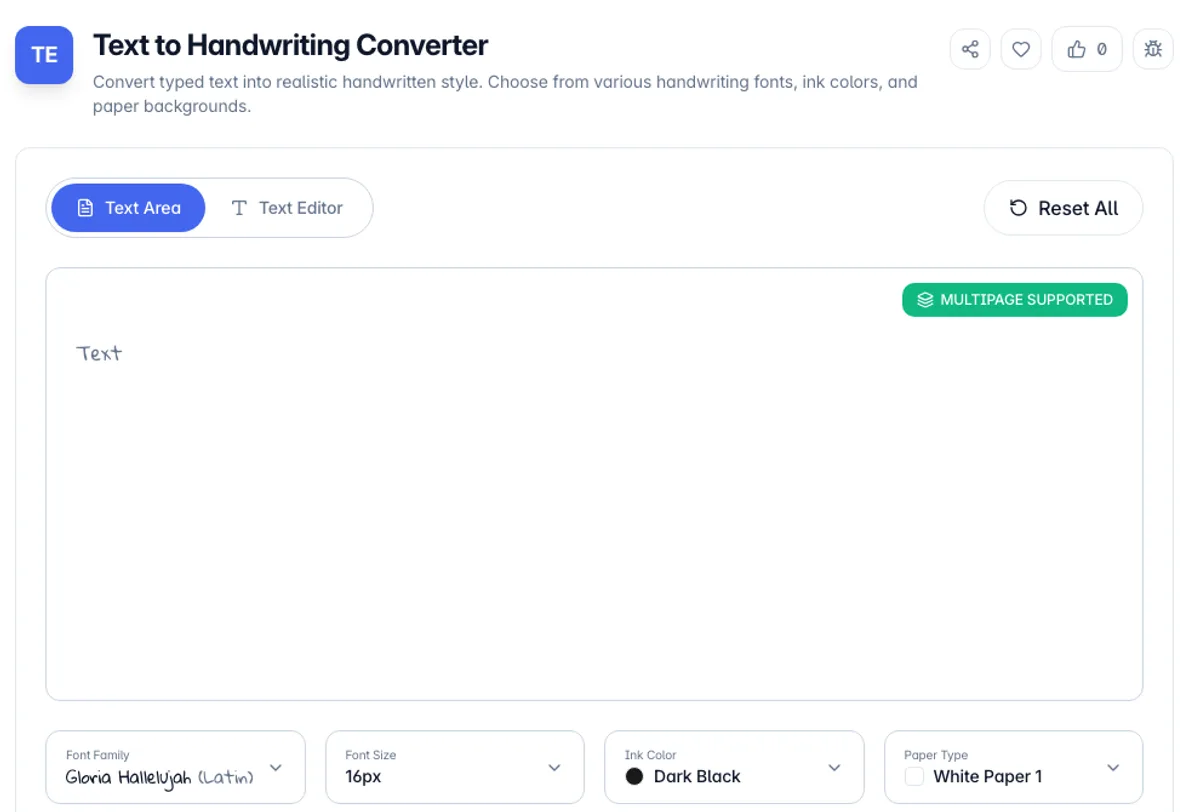
Text to Handwriting Converter is a free online tool that transforms typed text into realistic handwritten-style output. Choose from a variety of handwriting fonts, ink colors, and paper backgrounds to create authentic-looking handwritten notes, letters, and documents without picking up a pen.
The tool is perfect for creating personalized notes, designing unique greeting cards, generating handwritten-style content for social media, or adding a personal touch to digital communications. You can choose from 15 handwriting fonts, 10 font sizes, 8 ink colors and 8 paper types, including lined, graph, yellow legal and notebook paper with a margin line.
All processing happens directly in your browser, so your text stays private. Type or paste your content, adjust the styling options, and download the result as a PNG image ready to share.
Here is what the text to handwriting converter produces for a short note. Type "Thank you for the flowers", choose Caveat, 24px, Blue ink and Notebook paper, then press Download as Image. You get handwriting.png, 800 pixels wide and 400 pixels tall, with blue ruled lines and a red margin line. Longer text makes the image taller rather than adding pages, so a letter of 20 lines at 16px comes out about 800 × 994 pixels. To convert text to handwritten notes for print, keep in mind that 800 pixels is a screen size, not a print size.
The output is an image rather than text, which is the practical thing to plan around. It cannot be searched, selected, copied or read by a screen reader, and it will not reflow, so anything produced here is a picture of writing rather than a document. That suits mockups, headers, personal notes and craft projects. It also means file sizes are those of an image, not of a paragraph. Worth stating plainly: the fonts are typefaces designed to look handwritten, not a reproduction of anyone's hand, so this makes something that reads as handwritten and does not make a convincing forgery of a specific person's writing, which is not a use anyone should be pursuing. The export is always 800 pixels wide, so it prints softly on a full page and suits screens, cards and small printed notes better.
How to use Text to Handwriting Converter?
Enter your text
Type or paste the text you want to convert into handwriting in the Text Area or Text Editor. Line breaks and blank lines are kept.
Customize the style
Pick a Font Family, Font Size, Ink Color and Paper Type from the menus under the text box. Line spacing is fixed at 1.8 times the font size.
Preview the result
See a live preview of your handwritten text on the selected paper. The preview is a guide: the downloaded image uses a larger font on a fixed 800 pixel width, so lines can wrap at different words.
Download the image
Press Download as Image to save handwriting.png. The output is ready to share or use in your projects.
Key Features
Paper, Ink and Handwriting Style
Font family, font size, ink colour and paper type are each selectable, so the output reads as a page from a notebook rather than a font on white
Multiple Handwriting Fonts
Choose from 15 handwriting fonts, from neat print styles to flowing script and marker, to match your desired look
Customizable Ink Colors
Select from 8 ink colors, including Dark Black, Blue, Dark Blue, Red and Green, to make your handwritten text look authentic
Paper Background Options
Choose white or cream paper, plain or lined, blue lined, yellow legal, graph paper or a notebook page with a red margin line
Frequently Asked Questions
Related Tools
Lorem Ipsum Generator
Generate placeholder lorem ipsum text for designs and mockups
AI Text Humanizer
Rewrite the habits that make prose read as machine-written - inflated vocabulary, hedge phrases, em dashes, and connective filler.
Claude Watermark Remover & Detector
Detect and remove invisible Unicode characters from AI text - zero-width joiners, variation selectors, bidi controls, and tag characters.
Regex Tester
Test regular expressions against sample text with live match highlighting, capture groups, and full flag support
Comments
0 comments
No comments yet. Be the first to share your thoughts!