What is PHP Unserialize?
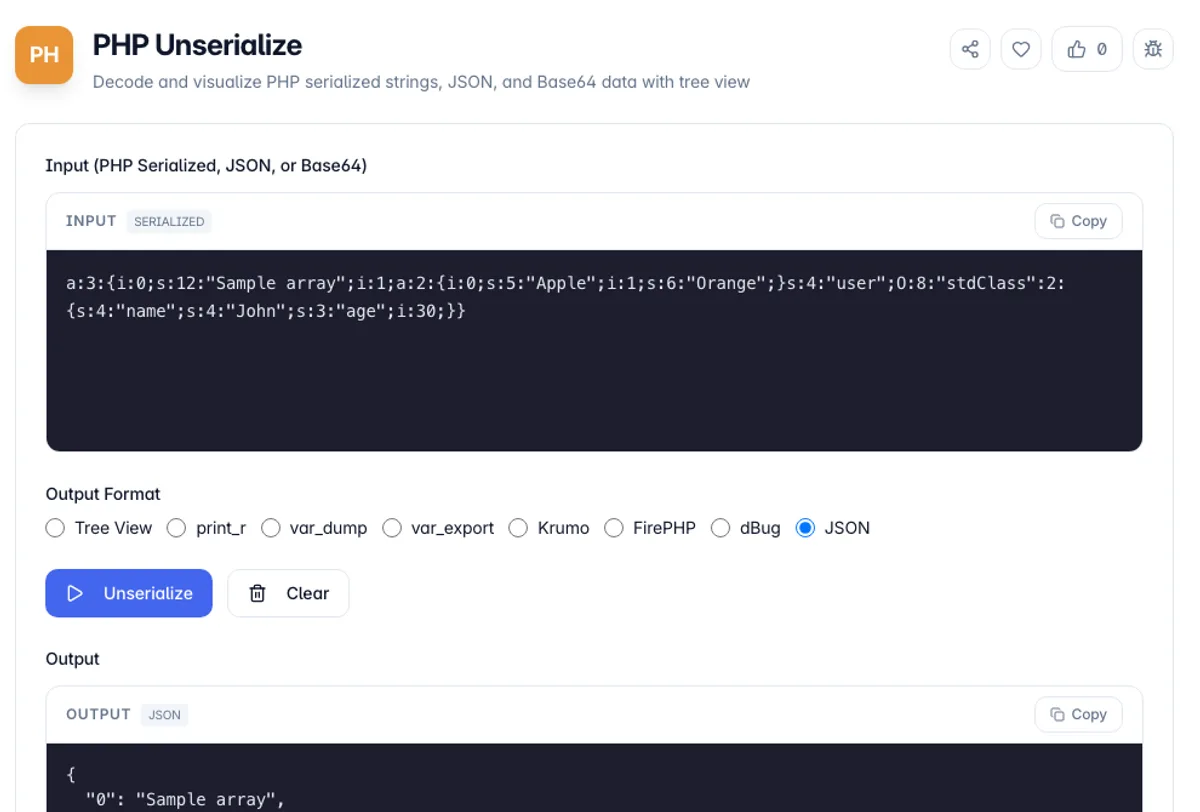
PHP Unserialize is a free online tool for decoding and visualizing PHP serialized strings. PHP serialization converts complex data structures like arrays and objects into a storable string format, and this tool reverses that process to show you the original data structure.
To unserialize PHP data here, paste a:2:{s:4:"name";s:4:"John";s:3:"age";i:30;} and press Unserialize. With print_r selected the output is Array ( [name] => John [age] => 30 ), and var_dump shows array(2) with string(4) "John" and int(30), the same shapes you would get if you ran unserialize in PHP and dumped the result. That makes it a quick way to unserialize in PHP online without a server: PHP serialize and unserialize round trips are easy to check by pasting what serialize() wrote.
Our tool supports multiple input formats including PHP serialized strings, JSON data, and Base64-encoded content. The interactive tree view makes it easy to explore nested data structures of any complexity.
Whether you're debugging WordPress options, analyzing session data, or working with cached data, our tool provides instant visualization with multiple output formats. All processing happens in your browser, ensuring your data remains private.
PHP's serialization format encodes a length with every string, and that is where the errors come from. If a serialized value has been edited by hand, truncated by a database column that was too small, or passed through a character-set conversion that changed the byte length of a multibyte string, the declared length no longer matches the content and the whole structure fails to parse. Here the message names the position where parsing went wrong, such as Unknown type ':' at position 28, which is the place to look. Object properties carry visibility in a way that is easy to miss: a private property is stored with the class name wrapped in null bytes, and a protected one with an asterisk. This tool strips those markers and shows the bare property name, so visibility is not displayed. Unserializing untrusted input in PHP is a known remote code execution risk, because it can instantiate objects and trigger magic methods. Decoding it here is safe because nothing is executed.
How to use PHP Unserialize?
Paste your serialized data
Copy and paste your PHP serialized string, JSON data, or Base64-encoded content into the input area. The tool auto-detects the format.
Select output format
Choose an output format: Tree View for interactive exploration, print_r for readable output, var_dump for type information, var_export for PHP code, Krumo, FirePHP, dBug, or JSON (the default).
Click Unserialize
Click the Unserialize button to decode your data. The result will appear in the output panel with your selected format.
Explore the result
Use the interactive tree view to expand and collapse nested structures. Copy the output or switch between formats to analyze your data.
Key Features
Multiple Input Formats
Supports PHP serialized strings, JSON data, and Base64-encoded content
Interactive Tree View
Explore nested data structures with expandable/collapsible tree visualization
Multiple Output Formats
View results as a tree, print_r, var_dump, var_export, Krumo, FirePHP, dBug or JSON
Type Information
See data types (Array, Object, String, Integer, Boolean) with element counts
Frequently Asked Questions
Related Tools
Base64 Encoder/Decoder
Encode and decode text to/from Base64 format
Chmod Calculator
Convert Unix file permissions between octal, symbolic and rwx checkboxes. Toggle read, write and execute for owner, group and others, plus setuid, setgid and sticky, and copy the chmod command - all in your browser.
JSON Formatter
Format, validate, and minify JSON data
Regex Builder
Build, test, and debug regular expressions with real-time matching and a comprehensive cheatsheet
Comments
0 comments
No comments yet. Be the first to share your thoughts!