Output will appear here...encodeURIComponent (component)
Escapes everything with special meaning in a URL. Use for individual values - query parameters, path segments, cookie values - never for a whole URL (it would encode :// too).
a=1&b=2 → a%3D1%26b%3D2 (safe to embed as a single query value)
What is URL Encoder/Decoder?
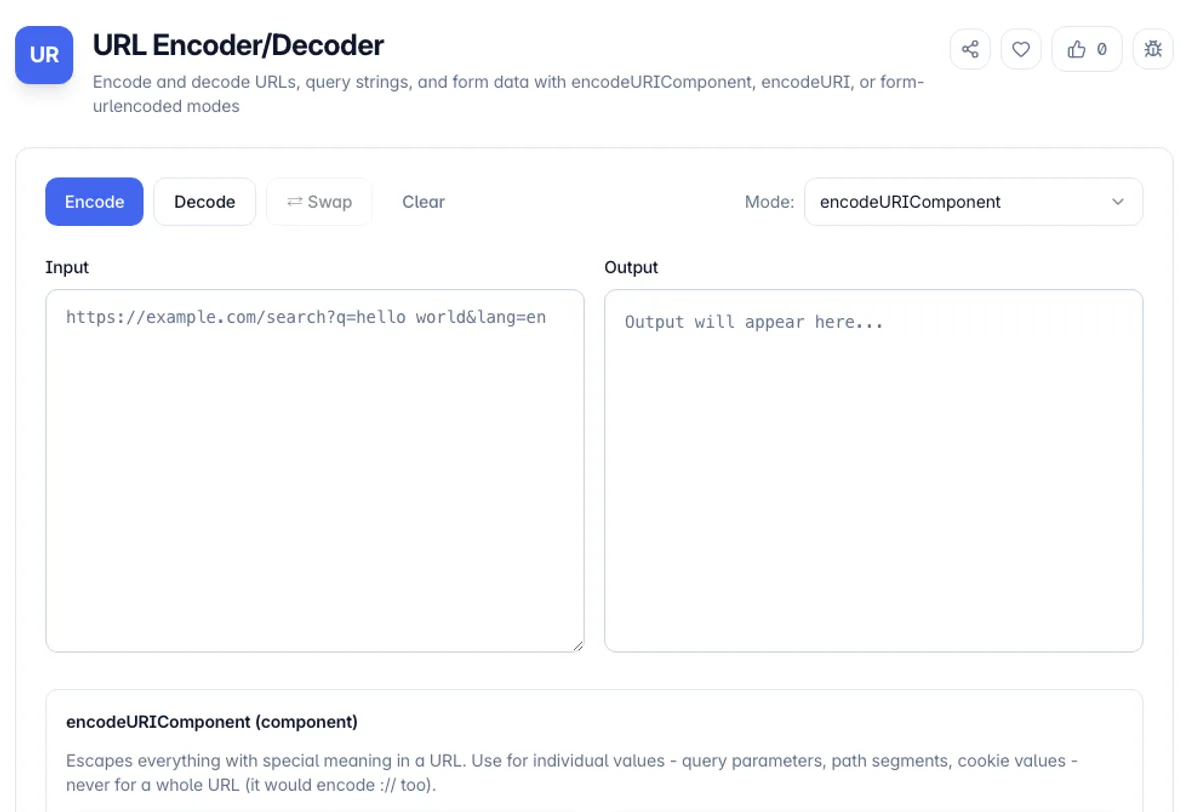
URL Encoder/Decoder converts text to and from percent-encoding (also called URL encoding), the escape scheme defined by RFC 3986 that makes arbitrary strings safe to put inside a URL. Characters like &, =, ?, # and / have structural meaning in URLs - if a query-string value contains a literal "&", the server will split your parameter in half unless that character is escaped as %26. This tool gives you all three encoding variants developers run into: encodeURIComponent for individual values, encodeURI for complete URLs, and application/x-www-form-urlencoded (spaces as +) for HTML form bodies.
The distinction between modes matters more than most tutorials admit. encodeURIComponent escapes every reserved delimiter, so it is the right choice for a single query parameter, a path segment, or a redirect target embedded in another URL - but running it on a full URL would mangle https:// into https%3A%2F%2F. encodeURI preserves the delimiters (: / ? # & =) so an entire URL stays navigable while spaces and non-ASCII characters like é or 日本 still get escaped to their UTF-8 percent-encoded form. The form-urlencoded mode matches what browsers send when you submit a <form>: identical to encodeURIComponent except spaces become "+" instead of "%20" - a legacy quirk that still trips up API integrations today.
Everything runs 100% client-side in your browser using the same native encodeURIComponent, encodeURI and decodeURIComponent functions your production JavaScript uses, so results match exactly what your code will produce. Nothing you paste - OAuth callback URLs, signed S3 links, tokens, session IDs - ever leaves your machine. The decoder also catches malformed input (a stray % not followed by two hex digits throws URIError in JavaScript) and reports a clear error instead of failing silently.
A worked example shows how the three modes of this URL encoder and decoder differ on the same text. Type café & crème and click Encode with encodeURIComponent selected: the output is caf%C3%A9%20%26%20cr%C3%A8me. Switch Mode to application/x-www-form-urlencoded and Encode again, and the spaces become +, giving caf%C3%A9+%26+cr%C3%A8me. In encodeURI mode the & stays as it is, because encodeURI treats it as a URL delimiter, which is why that mode suits a whole URL and not a single value. Decode reverses any of them, but only the form mode turns + back into a space.
How to use URL Encoder/Decoder?
Paste your text or URL
Drop the raw value into the input area - a query parameter value, a full URL with spaces and unicode, or an encoded string like a%3D1%26b%3D2 you pulled from server logs and want to decode.
Pick the encoding mode
Choose encodeURIComponent for individual values (query params, path segments), encodeURI for complete URLs where :// and ? must survive, or form-urlencoded when you are building an HTML form body or debugging a POST payload with + signs.
Encode or decode
Click Encode to percent-encode the input, or Decode to reverse it. Decoding handles %XX sequences and, in form mode, converts + back to spaces. Malformed sequences produce a readable error instead of a blank output.
Copy or swap
Copy the result to your clipboard with one click, or use the swap button to move the output back into the input - handy when a value has been double-encoded (%2520) and needs a second decode pass.
Key Features
Three real-world modes
encodeURIComponent, encodeURI, and application/x-www-form-urlencoded - the three variants you meet in query strings, full URLs, and form bodies
Native JavaScript encoding
Uses the browser-native encoding functions, so RFC 3986 unreserved characters (A-Z a-z 0-9 - _ . ~) pass through untouched and UTF-8 multi-byte sequences encode correctly. Like your own JavaScript, it also leaves ! ' ( ) * unescaped, which RFC 3986 reserves
Safe decoding with clear errors
Malformed percent sequences like a stray "%" report exactly what went wrong instead of throwing an unhandled URIError
Swap input and output
One click moves the result back into the input - perfect for unwrapping double-encoded values layer by layer
Frequently Asked Questions
Related Tools
Caesar Cipher Encoder & Decoder
Encode and decode Caesar cipher text with any shift, plus ROT13 and ROT47. Brute-force all 25 shifts to crack an unknown key.
HTML Entity Encoder/Decoder
Encode and decode HTML entities - named (&), decimal (&), and hex (&) forms, with XSS-safe special-character escaping
Image to Base64 Converter
Convert images to Base64 data URIs and decode Base64 back to images.
Unicode Converter
Convert text to and from Unicode code points, HTML entities, JavaScript escapes, and CSS escapes. Emoji and astral characters handled correctly.
Comments
0 comments
No comments yet. Be the first to share your thoughts!