What is Hash Generator?
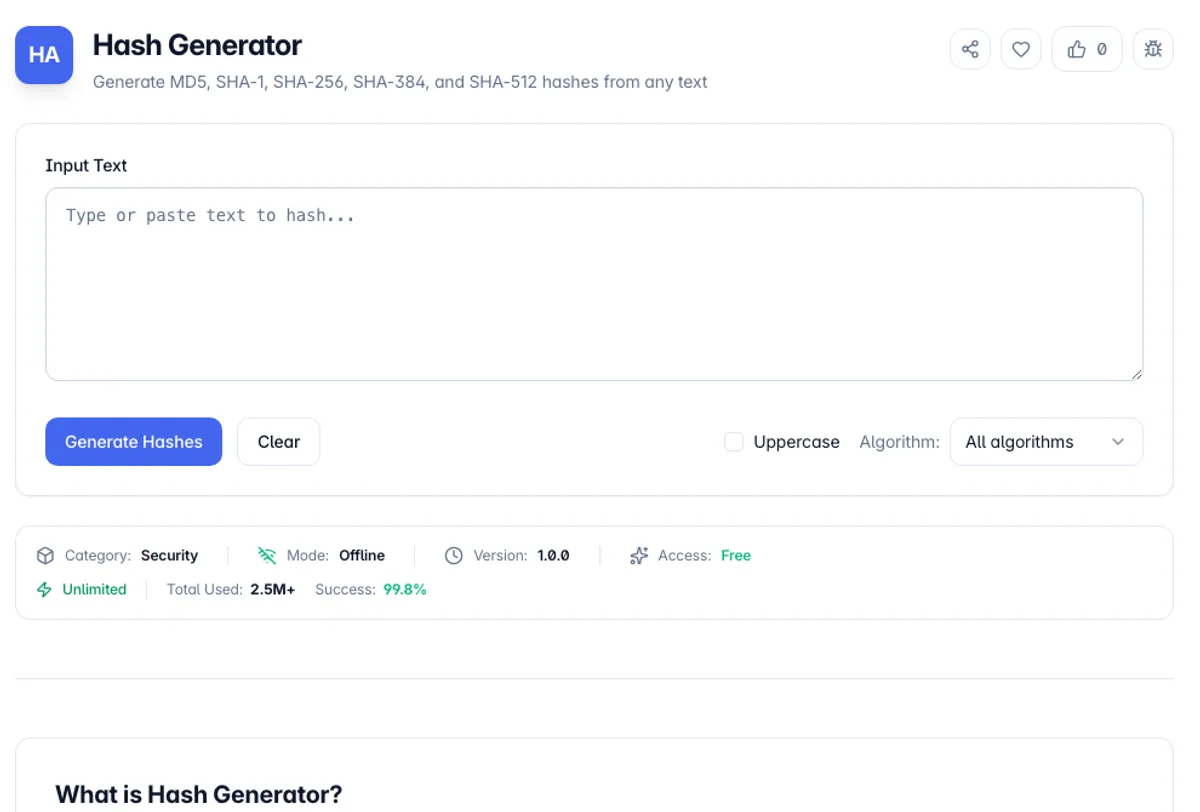
Hash Generator computes cryptographic digests of any text across five algorithms at once: MD5, SHA-1, SHA-256, SHA-384, and SHA-512. Type or paste your input, click Generate Hashes once, and from then on every hash updates live as you edit - no separate tool per algorithm, no clicking between tabs. The SHA family runs on the browser's native SubtleCrypto implementation (the same code path Node 18+ exposes), while MD5 is computed by a pure TypeScript implementation of RFC 1321, since Web Crypto dropped MD5 support years ago for good reason.
A hash function maps input of any size to a fixed-size fingerprint: "hello" always yields 2cf24dba... under SHA-256, and flipping a single bit of input produces a completely unrelated digest. That determinism is why hashes anchor so much of practical engineering - verifying a download against a published checksum, deduplicating cache keys, generating ETags, comparing config files across environments, or checking whether a leaked MD5 in an old database matches a known string.
As a SHA-1 hash generator it is quick to check against a known value. Type hello with no trailing newline and the SHA-1 row reads aaf4c61ddcc5e8a2dabede0f3b482cd9aea9434d, the same 40 characters printf hello | sha1sum prints. The SHA-512 row starts 9b71d224bd62f378 and runs to 128 hex characters. If you only need one algorithm, set Algorithm to SHA-1 or SHA-512 and the other rows disappear, which keeps a sha1 hash generator or SHA-512 check to a single line to copy.
Everything runs client-side in your browser. Whatever you hash - API keys you're debugging, snippets from a production incident, customer identifiers - never leaves your machine, hits no server, and lands in no log. Toggle uppercase for systems that store digests capitalized, or grab the Base64 form for HTTP headers like Content-MD5 and Subresource Integrity manifests that expect Base64 rather than hex.
Which algorithm to use depends entirely on the job, and two common uses need different answers. For checking that a file downloaded intact, any of these work and MD5 is still widely published for the purpose. For anything where an attacker might construct a collision deliberately, MD5 and SHA-1 are broken: colliding MD5 files have been trivial for years and a SHA-1 collision was demonstrated in 2017, so neither belongs in a signature or a certificate. Use SHA-256 or above. For storing passwords, none of these is appropriate at all, however strong. They are designed to be fast, which is the opposite of what password storage needs; that job wants bcrypt, scrypt or Argon2, which are deliberately slow and salted. Hashing is also one-way, so it is not encryption and nothing hashed can be recovered.
How to use Hash Generator?
Paste or type your input
Drop any text into the input area - a password candidate, a file manifest line, an API payload, a whole config file. Input is UTF-8 encoded before hashing, so multi-byte characters (émojis, CJK text) hash identically to what md5sum or sha256sum would produce on the same UTF-8 file without a trailing newline.
Read all five digests at once
Click Generate Hashes and all five rows appear, then keep updating as you type: MD5 (32 hex chars), SHA-1 (40), SHA-256 (64), SHA-384 (96), and SHA-512 (128). Seeing them side by side is handy when you have a mystery hash and need to identify the algorithm from its length before you can verify anything.
Switch output format if needed
The uppercase toggle flips all hex digests to capitals - some Windows tooling and older databases store them that way, and hash comparison is usually case-sensitive string comparison. Each row also exposes a Base64 rendering of the same bytes, which is what Content-MD5 headers and SRI integrity attributes expect.
Copy the digest you need
Every row has its own copy button, so you can grab just the SHA-256 without touching the rest. Paste it into your checksum comparison, CI script, or integrity manifest. When comparing against a published checksum, watch for stray whitespace or a trailing newline in the original input - both change the digest entirely.
Key Features
Five Algorithms at Once
MD5, SHA-1, SHA-256, SHA-384, and SHA-512 computed simultaneously from a single input
Live Hashing
After the first Generate Hashes click, digests update as you type - no page reload, no waiting
Hex and Base64 Output
Lowercase hex by default, uppercase toggle, and Base64 per row for headers and SRI manifests
Native Web Crypto Speed
SHA family runs on the browser's SubtleCrypto implementation - hardware-accelerated where available
Frequently Asked Questions
Related Tools
Bcrypt Generator
Generate and verify bcrypt password hashes in the browser with an adjustable cost factor
JWT Generator
Generate and sign JSON Web Tokens with HS256, HS384, or HS512, add standard claims, and copy the token. Runs client-side.
Password Generator
Generate strong, random passwords with custom character sets and strength analysis
Password Strength Checker
Test how strong a password is with an entropy-based strength meter, estimated crack times, and specific suggestions to make it harder to guess - all processed privately in your browser.
Comments
0 comments
No comments yet. Be the first to share your thoughts!